Test output is encoded and unreadable in Windows

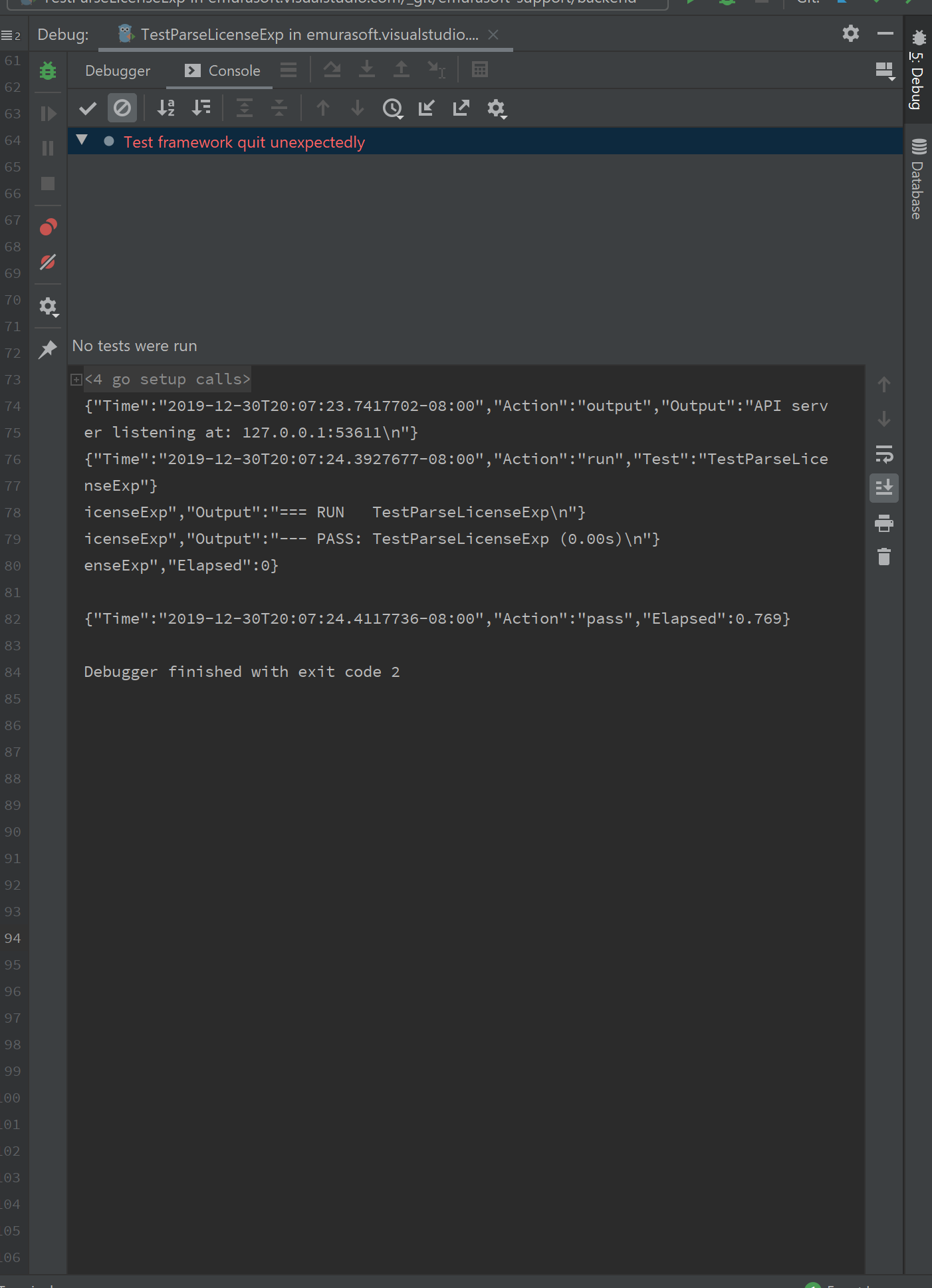
The test output in both Debug and Run configuration is unreadable. This happens with any test on any project on GoLand, Windows build. This does not happen with the Linux build.
GoLand 2019.3.1
Build #GO-193.5662.65, built on December 23, 2019
Licensed to Makoto Emura
Subscription is active until August 27, 2020
Runtime version: 11.0.5+10-b520.17 amd64
VM: OpenJDK 64-Bit Server VM by JetBrains s.r.o
Windows 10 10.0
GC: ParNew, ConcurrentMarkSweep
Memory: 1973M
Cores: 8
Registry: run.processes.with.pty=TRUE, ide.completion.variant.limit=500, debugger.watches.in.variables=false, suggest.all.run.configurations.from.context=true, folding.check.collapse.state.before.placeholder.text=TRUE, ideFeaturesTrainer.welcomeScreen.tutorialsTree=TRUE
Non-Bundled Plugins:
请先登录再写评论。
Press Shift + Shift to open `Search Everywhere` then type `Registry...` and in the window that opens up type `with.pty`. Then uncheck the box that corresponds to the `run.processes.with.pty` property, close the IDE, start it again and run it again. Let us know if the issue still happens afterward.
Thank you!