Added exclusions in Windows defender but still IntelliJ is asking for adding exclusions.

Recently I am facing an issue, when I open IntelliJ it shows me a prompt saying "Hey!! you need to set exclusions in Windows defender or else it will impact my performance". I clicked "configure automatically" then user account control prompt came up I clicked on "yes" then IntelliJ said that it has successfully configured exclusions. Then after I closing IntelliJ when I open it again, it again shows me that prompt again. I also added exclusions manually and double checked in Windows defender if the exclusions are okay or not, yes all the exclusions are set up perfectly. But IntelliJ asks me every time I open it. What can I do?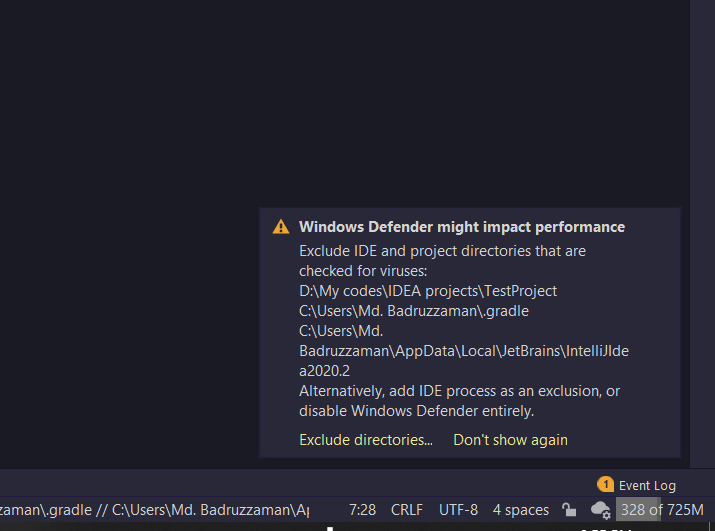
All the locations given here are excluded in Windows defender. I have checked it. But still getting this prompt. Please help me!!😢
请先登录再写评论。
It's a known issue: https://youtrack.jetbrains.com/issue/IDEA-247817.
Serge Baranov thank you so much for commenting.
Known issue? I am using JetBrains IDEs since April 2020. I never saw this issue. It was troubling me from yesterday. Is it a latest update bug?
Windows update changed tool output that IDE is parsing. So it's not caused by the IDE update, but by the Windows update.
So what can I do now? Ignore the prompt? Will JetBrains fix this issue by updating the IDEs? Or what can I do?
Click Don't Show Again, wait for the next IDE update with the fix, watch the bug I linked for updates.