Need help: Opening a terminal automatically starts a Docker container every time
已回答

Hello all,
I have been using IntelliJ for a while. But recently I have a strange behavior.
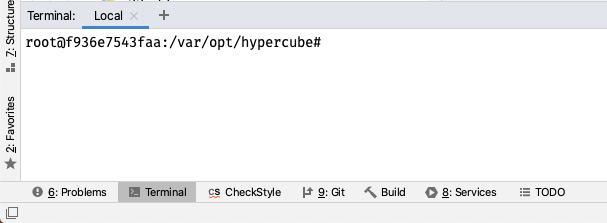
Every time I open a new terminal session, a Docker container is automatically started in that terminal and the terminal is connected into the container. It is always the same image that is launched. I have to press CTRL-D every time to exit the container.
I probably messed something up, but I can't figure out what it is.
This behavior occurs in every IntelliJ project.
Does anyone have any ideas?
Thanks, Dom
请先登录再写评论。
Hi Dom,
Check the 'Application Settings' configuration on the File | Settings | Tools | Terminal page. Did you specify a custom shell path there?
Hi Arina,
shell path is "/usr/local/bin/fish" which is my default shell.
Thank you.
Do you have any downloaded plugins that can cause this behavior? Try temporarily disabling all of them under File | Settings | Plugins > Installed and restarting the IDE to see if it helps.
I am also checking internally on possible reasons for this. Will let you know.
Unfortunately, disabling all plugins did nothing. The problem still exists.
I have found that if I disable IntelliJ IDEA | Preferences | Tools | Terminal > Shell Integration, the problem no longer exists. I wonder what is the reason for this?
The documentation says that if enabled: "Integrate the terminal with the system shell to properly keep track of your command history for sessions and load a custom config file with required environment variables."
Thanks for the investigation. It's strange that turning off "Shell integration" helped.
It'd be great if you could enable "Shell integration" back and check the followings things in a new terminal tab where docker starts automatically:
* Exit docker with Ctrl+D
* What's the output of echo $JEDITERM_SOURCE?
* What's the output of printenv | grep _INTELLIJ_FORCE?
Another thing that could help is to configure verbose logging for terminal:
* Help | Diagnostic Tools | Debug Log Settings...
* Add #org.jetbrains.plugins.terminal.LocalTerminalDirectRunner on a separate line
Then, reproduce the issue (open a new terminal tab) and provide your idea.log (Help | Show Log in ...).
Hi Sergey,
here are the results:
idea.log
Hi together,
are there any new findings on this topic yet?
Hi Dom,
Sorry for the delay. Thanks for the information. Unfortunately, it didn't help. Let's run fish with verbose logging, for that, set "Shell path" to "fish -d 5" in "Preferences | Tools | Terminal".
Then, open a new terminal tab, it should contain both fish startup debug output and docker output. Hope the debug output will help to identify the cause. Please attach the debug output here.
Hi Sergey,
I have found the cause of the problem. I had an error in a Fish function I wrote myself. :-(
There the Docker container was started outside the function and executed directly when loading the script.
As I mentioned above, the problem (with the incorrect Fish function) also does not occur when I disable shell integration in IntelliJ. Then the shell seems to behave as it does outside of IntelliJ.
With shell integration enabled, scripts in ~/.config/fish/functions are probably also loaded.
Strangely, the problem has never occurred when I start my shell outside of IntelliJ.
Do you have any idea what specifically happens differently with shell integration enabled than when the option is disabled or I start the shell outside of IntelliJ?
Thanks a lot for your help. :)
Awesome! When shell integration is enabled, fish is launched with XDG_CONFIG_HOME pointing to an internal IntelliJ script (.../plugins/terminal/fish/config.fish). This script tries to load all fish standard initialization files, but it might fail to do it properly. There are plans for 2021.1 to address all issues related to Fish with shell integration enabled. It'd be great if you could provide steps to reproduce your issue: either add the steps here or file a new issue in the https://youtrack.jetbrains.com/issues/IDEA?q=Subsystem:%20%7BTools.%20Terminal%7D
Thanks!
Here are the steps to reproduce the issue: