Navigate Go to File not finding vendor file

I don't know why this happens nor what I'm supposed to do to find a vendor file:
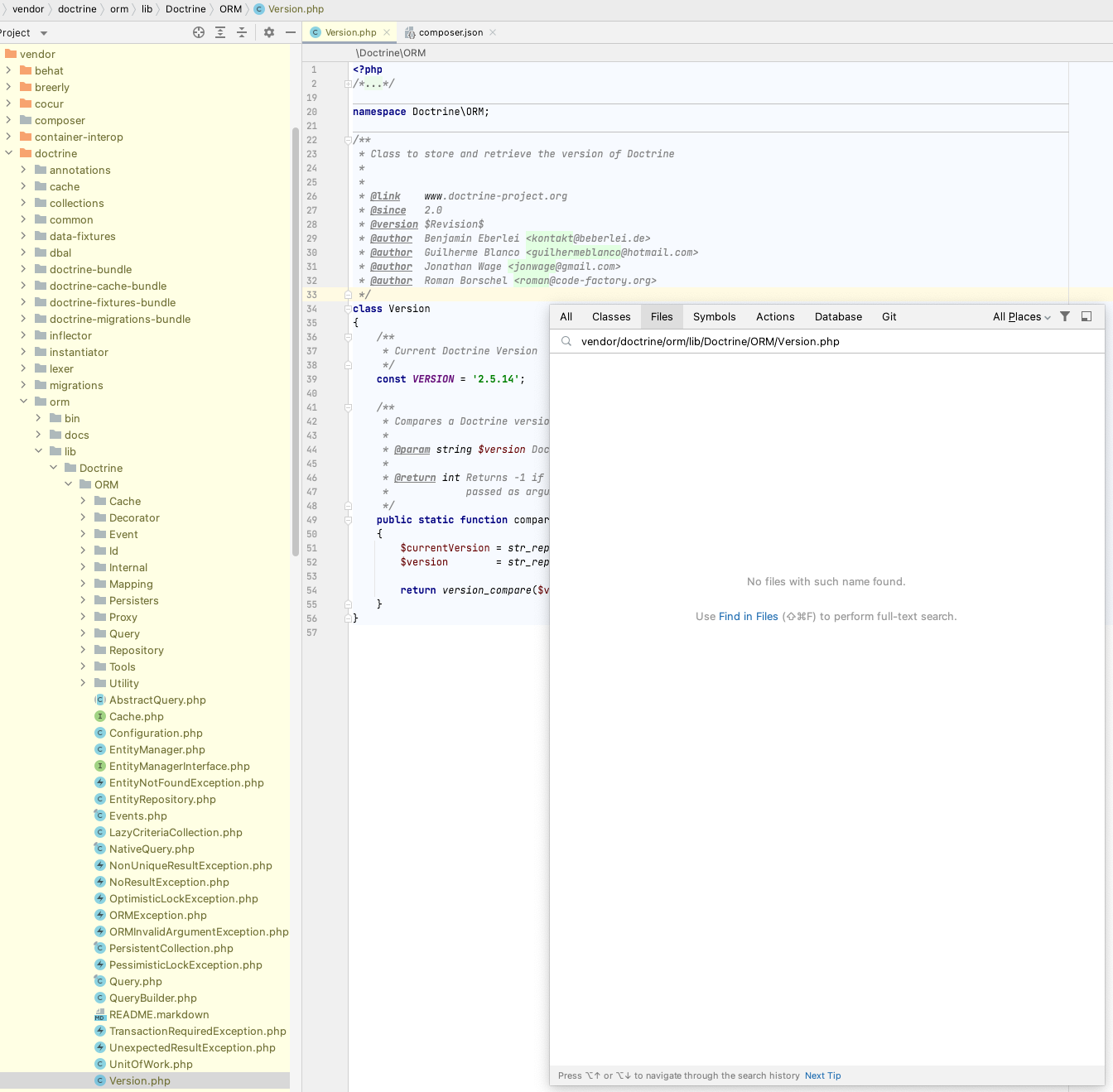
The directory is marked as "Exclusion" so it won't junk up my Find in Files search results, so hopefully I don't have to un-exclude it just to find a file name in there.
请先登录再写评论。
> The directory is marked as "Exclusion"
That's why this happens.
OK so how am I supposed to use Go to File in an excluded folder? I'd think it would work if I searched just the excluded folder (because then it's obvious at that point that I absolutely want to search that folder for a file name now), but I'm not seeing how to even do that.
By default there shouldn't be those difficulties. Typically all vendor library folders automatically marked as excluded at File | Settings | Directories & then added to include paths at File | Settings | PHP. That way they're excluded to not litter the default "Find in Files" scopes, but the classes from libraries are still available, see:
1. Navigate to File works even for the excluded files in vendor dir:
2. Find in Files results to not show excluded content (note the "In project" scope):
Of course, if you click the vendor folder, then hit Find in Files, then the scope would switch to "In directory" and IDE would run the search through the contents of the excluded files:
That's how it works in a typical project.
So, it looks like you have some project config customizations: we need to know more about them in order to suggest the best approach.