can't open IntelliJ on MacOS
已回答

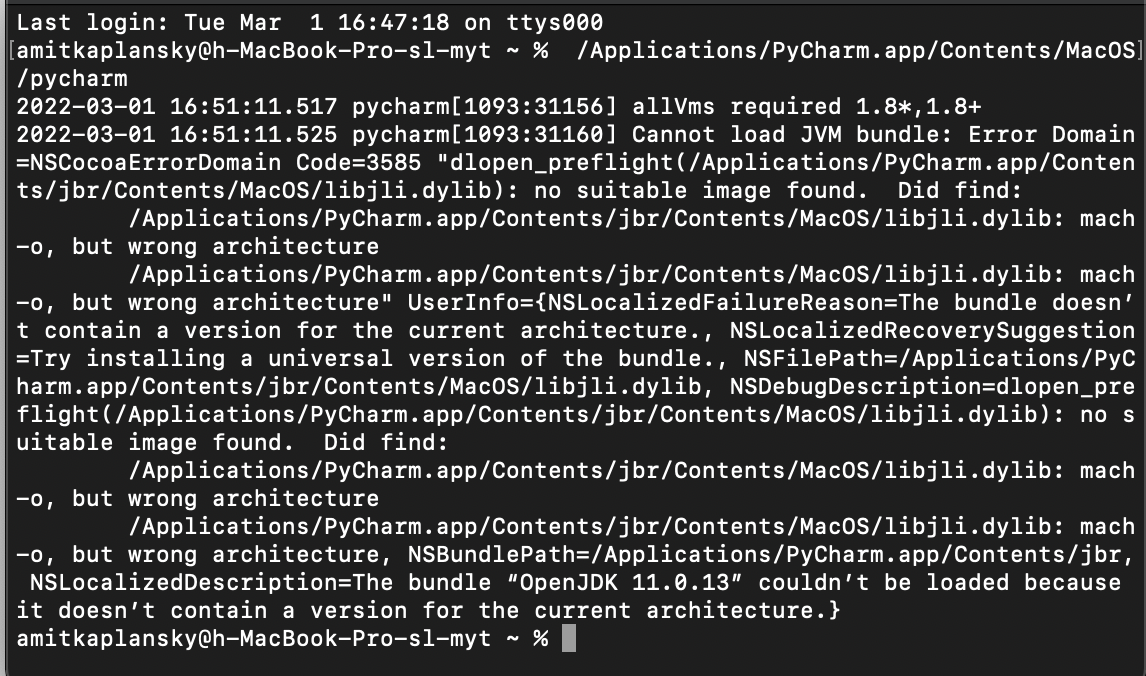
I installed the app on my Mac and I can't open the app.
I want to use java version 8 with IntelliJ.
The same happened when I tried to install PyCharm.

请先登录再写评论。
Try the steps from https://intellij-support.jetbrains.com/hc/en-us/articles/360007568559.
Make sure you do not override the default bundled JetBrains Runtime (https://intellij-support.jetbrains.com/hc/en-us/articles/206544879) and downloaded the IDE from https://www.jetbrains.com/idea/download .
It is not recommended to override the default runtime used by the IDE. If you need to run the project with JDK 8 please check https://www.jetbrains.com/help/idea/sdk.html#set-up-jdk .