Soft wrap lines to a column (not to editor window)

Is there a way to make soft wraps work only for a specific column (column 80, for example), independently of the size of the current editor window?
The appearance would be like using regular soft wraps if the window was as large as the 80-column text and like (almost) hard wrap if the editor window is narrower.
For example, consider the following text: "Sed ut perspiciatis, unde omnis iste natus error sit voluptatem accusantium doloremque laudantium, totam rem aperiam eaque ipsa".
No wrap at all:
Sed ut perspiciatis, unde omnis iste natus error sit voluptatem accusantium doloremque laudantium, totam rem aperiam eaque ipsa
Current appearance I get so far for wide windows:
|<--                                                                      column 80 -->|
Sed ut perspiciatis, unde omnis iste natus error sit voluptatem accusantium doloremque laudantium, totam rem aperiam eaque ipsa
Current appearance for "right sized" windows:
|<--                                                                      column 80 -->|
Sed ut perspiciatis, unde omnis iste natus error sit voluptatem accusantium doloremque
    laudantium, totam rem aperiam eaque ipsa
Current appearance for narrow windows (say 60 columns of text):
|<--                                                  column 60 -->|     column 80 -->|
Sed ut perspiciatis, unde omnis iste natus error sit voluptatem
   accusantium doloremque laudantium, totam rem aperiam eaque ipsa
I wish for the 80-column look no matter the width of the text window. :-)
I'm using Texify, so I have long paragraphs...
请先登录再写评论。
Hi there - no such option at the momeте I'm afraid. Feel free to upvote https://youtrack.jetbrains.com/issue/IDEA-81111
As a workaround, you can use the distraction-free mode: https://www.jetbrains.com/help/idea/ide-viewing-modes.html
Thanks for the feedback.
This would be incredibly helpful. Especially when working with markdown-documentation.
#1 not cool
# 2 nope
# 3 perfect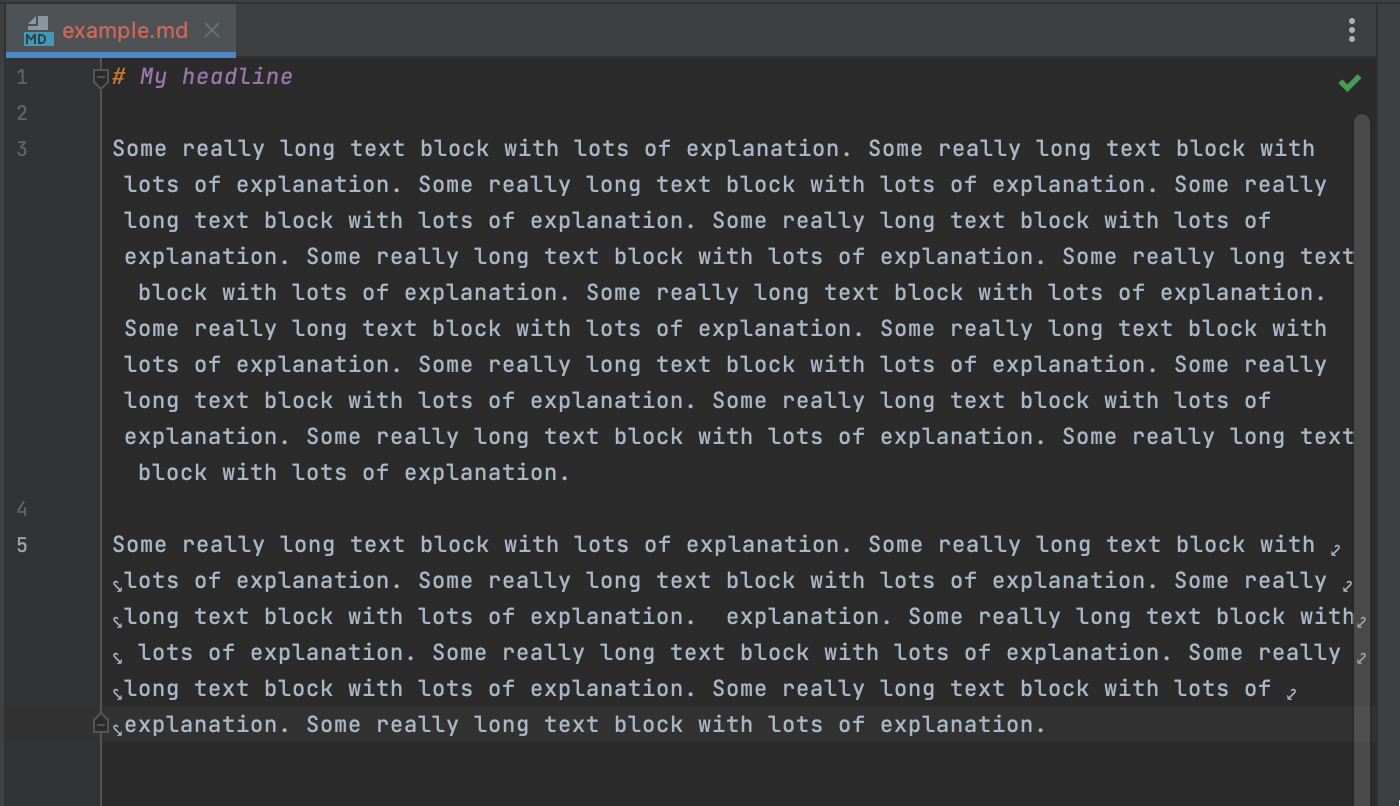
This works for me as an workaround:
-> Left margin in distraction free mode: 0 pixels
-> Force soft wrap in documents with lines longer than `80` characters
Settings:
Final result:
This is no longer working. The soft wrap column seems to be hard-coded to 120 characters.
Changing "Force soft wrap in documents with lines longer than N characters" is ignored.
Moreira Jander, could you please provide me with the IDE version in which the workaround you described before worked fine?
120 characters is a default value for hard wrap settings (Settings | Editor | Code Style | Editor | Code Style | Hard wrap at ... columns); for now, I see that wrap in the distraction-free mode is configured according to this value.