Constants value missing from tooltip

Prior to the latest build (Build #PS-223.7571.212) I'd hover over a constant in a file it's being used in, and the tooltip that appeared would show me the value of the constant. That's suddenly gone.
I just updated, restarted, got back to work, and hovering over a constant simply tells me it's type, but not the assign value.
Was this intentional? I hope not because I use it all the time, as I'm sure many more do, so there's no need to open the file the constant was defined in.
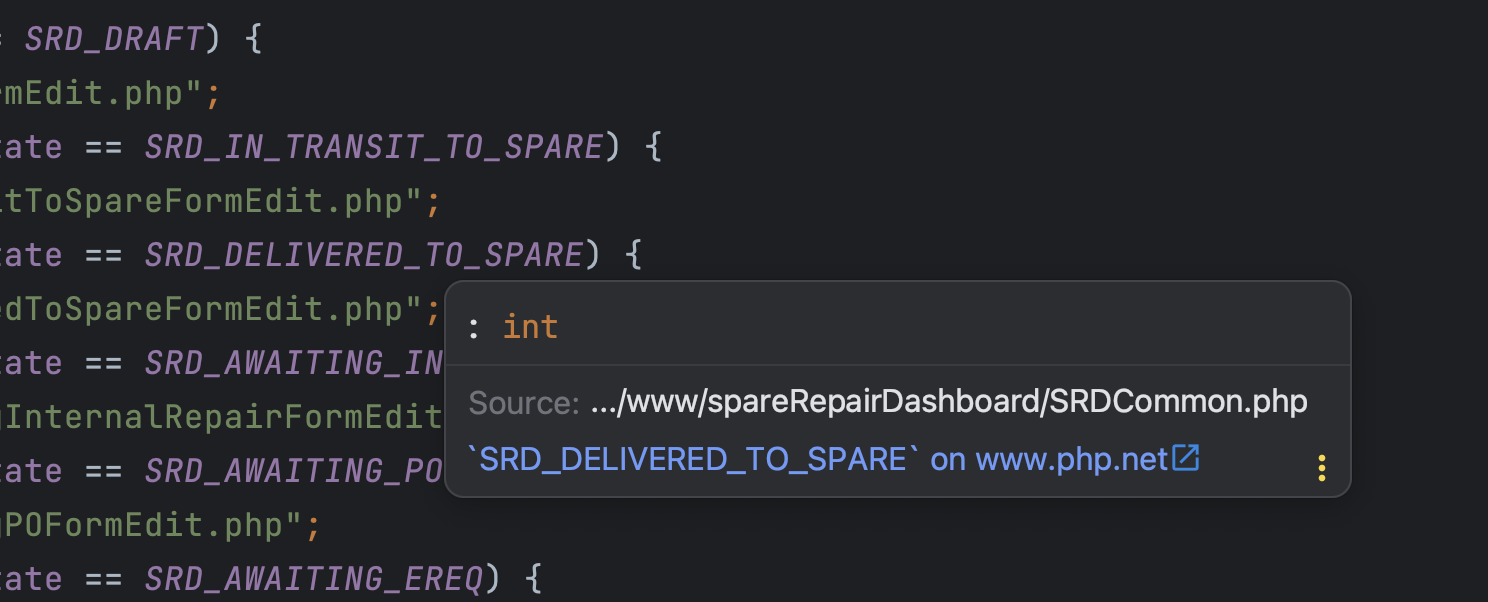
Thanks
请先登录再写评论。
It seems to be a regression - it doesn't seem like there's any thought behind this. Please vote for the report to get notified when it gets fixed:
https://youtrack.jetbrains.com/issue/WI-70107/Quick-Documentation-Doesnt-show-the-constant-value
Thanks Eugene. Appreciated.