Annoying behaviour when editing first line of method with Vim plugin
Answered

I'm using IntelliJ IDEA 2016.3.5, Build #IU-163.13906.18, and I have the Vim plugin enabled.
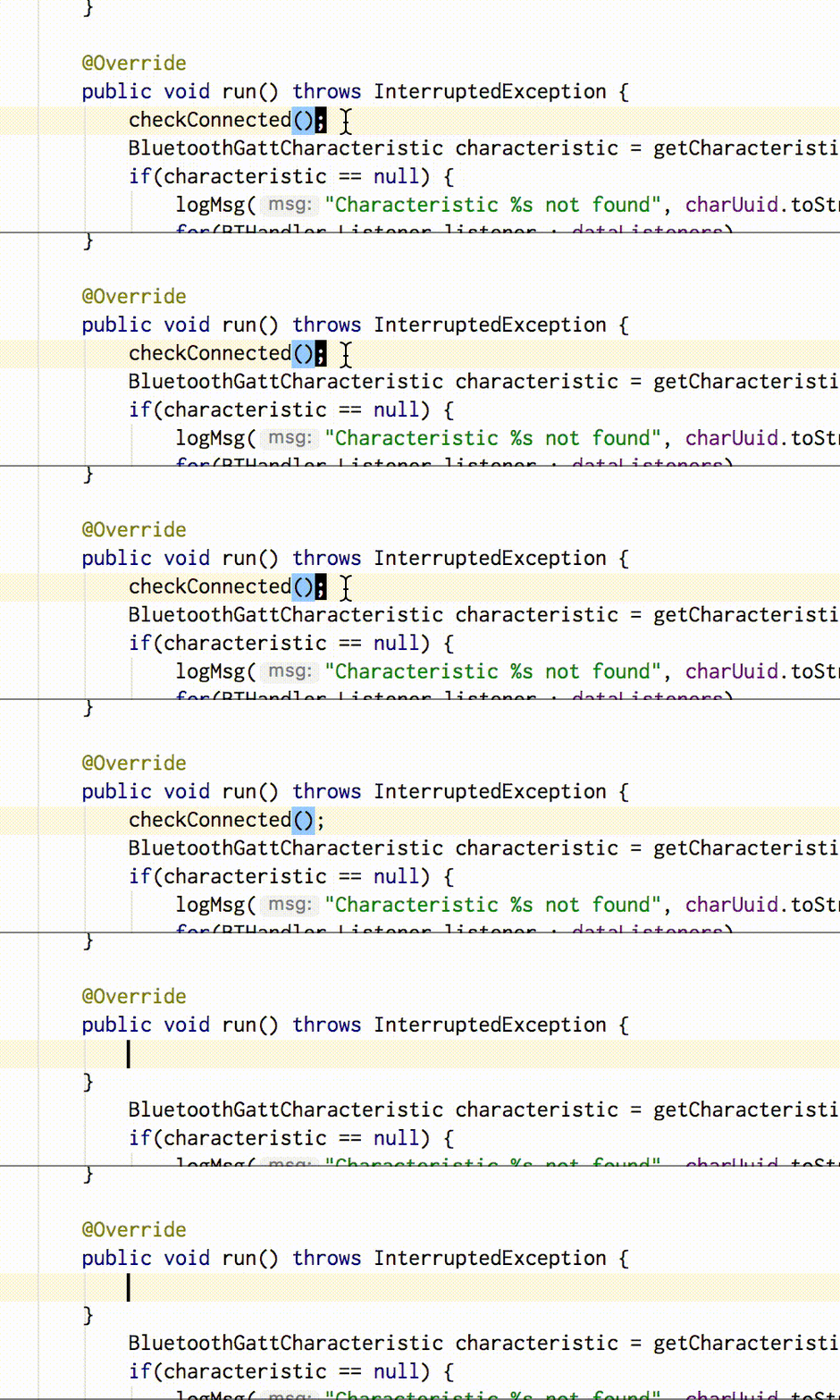
When editing the first line in a method, either by the "cc" (change line) command, or the "A" command (with the cursor at the opening brace for the method body) the editor throws in a spurious closing brace. This gif shows the behaviour - here I am positioned on the first line of the body, and type "cc" - the line contents is deleted (correct) but an extra closing brace is added in a new line below it. I either have to use some other, non-intuitive command sequence or manually delete the brace later.
Please sign in to leave a comment.
Please file a bug at https://youtrack.jetbrains.com/issues/VIM.
Ok, done.