Cannot replicate color scheme / look and feel from past version
Answered

For the past couple of years I have used intelliJ with the settings below, where the code editor is Obsidian yet the side window tool panes are white background. The console is also dark background.
I have tried to replicate this on a new machine but am unable to, it's either all dark or all light.
I've tried: Exporting settings.jar from one machine to another and it goes to all dark.
I've also tried manually copying over files from ~/Library/Preferences/IntelliJIdea2017.1/ and that also did not work.
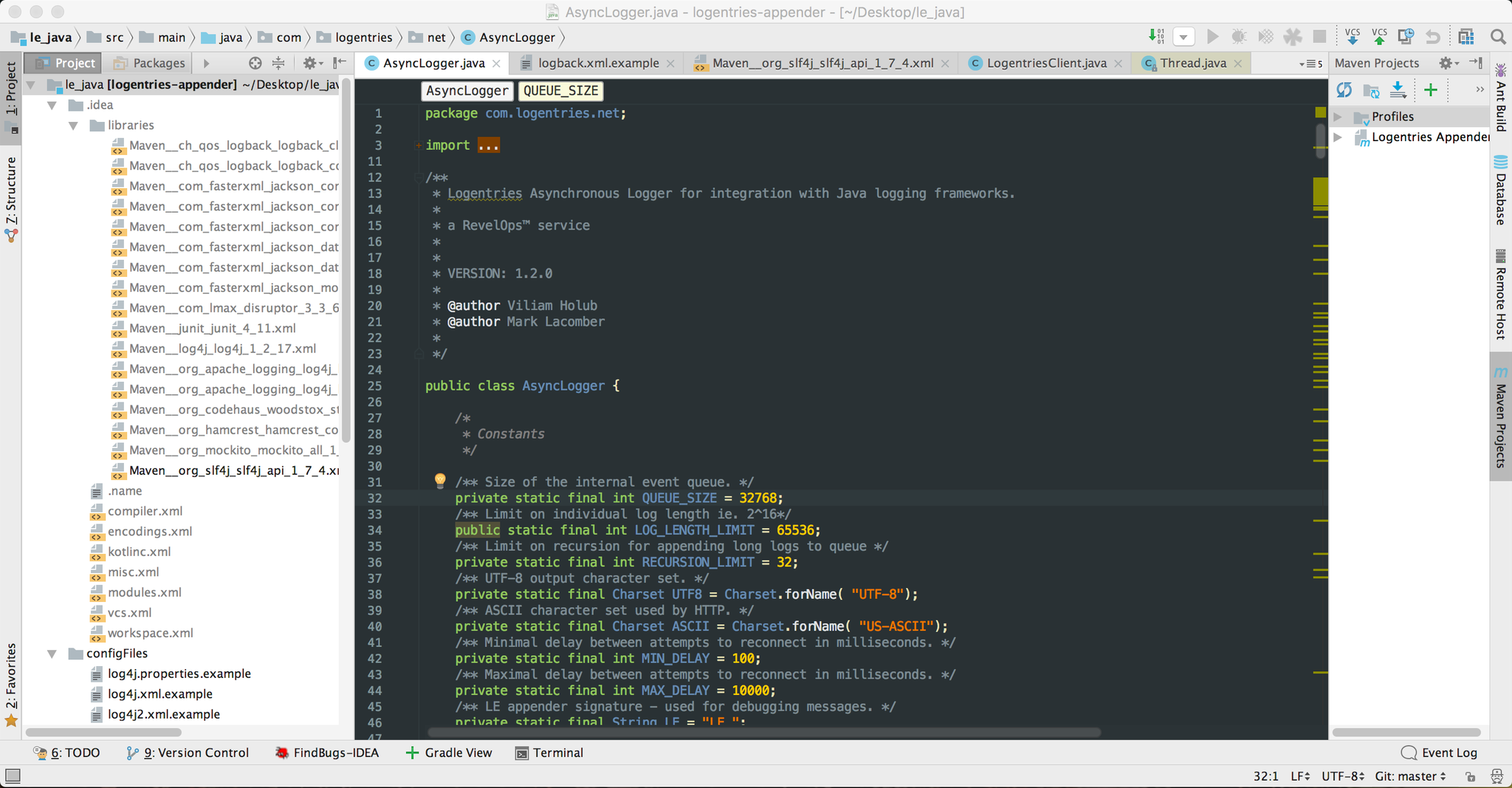
Is it a bug that I am able to use the scheme below? It certainly is not custom, but Default & Obsidian.
Any thoughts on how to copy to another machine?
Thanks!
Please sign in to leave a comment.
When you change editor theme to the dark one while IDE theme is light, you will get the question where you can say No and keep them different:
Serge
When I try this, it does leave the default dark ide for code, but also changes the side-bars / tool windows to dark as in the example below:
Is there a way to make it more like the original picture mentioned which I have been unable to replicate.
Thanks
What IDE theme do you use? Do you have any third-party theme plug-ins installed?
Serge,
The IDE theme is Default and the Code is Obsidian. I have not used any third party plugins for this.
It is honestly perplexing.
Try one of the bundled code color schemes instead of the third-party one.