Webstorm 2017.3 MacOS locks when opening and changing meteor project

Ever since upgrading to Webstorm 2017.3 I have had issue opening and making changes to my meteor project. Actions that cause the issue:
- Opening the app in Webstorm
- Changing my git branch while the project is open
Description of issue: Webstorm opens and then I cannot use the UI at all. Sometimes if I wait a couple minutes it will unfreeze only to freeze again later.
Fixes I've tried:
- Removing all folders listed here and then doing a fresh install of webstorm 2017.3 - This had no affect. I did not import settings or install any plugins
- Disabling the .ignore plugin as mentioned here - This had no affect
- Disabling the built in Meteor plugin in 2017.3 - This fixed the issue but then none of my run/debug configurations work
- Reverting back to 2017.2.5 - This works with all of my existing plugins and settings
but obviously isnt ideal
System Specs:
- 2014 Macbook Pro
- macOS High Sierra 10.13.1
- Core i7 2.2ghz
- 16gb RAM
View logs here:https://drive.google.com/file/d/1mwIqTTDMDoWljZwChs6tIjQ4mAe5wtcT/view?usp=sharing. The issue seems to be with com.jetbrains.plugins.meteor.ide.action.MeteorImportPackagesAsExternalLibAction though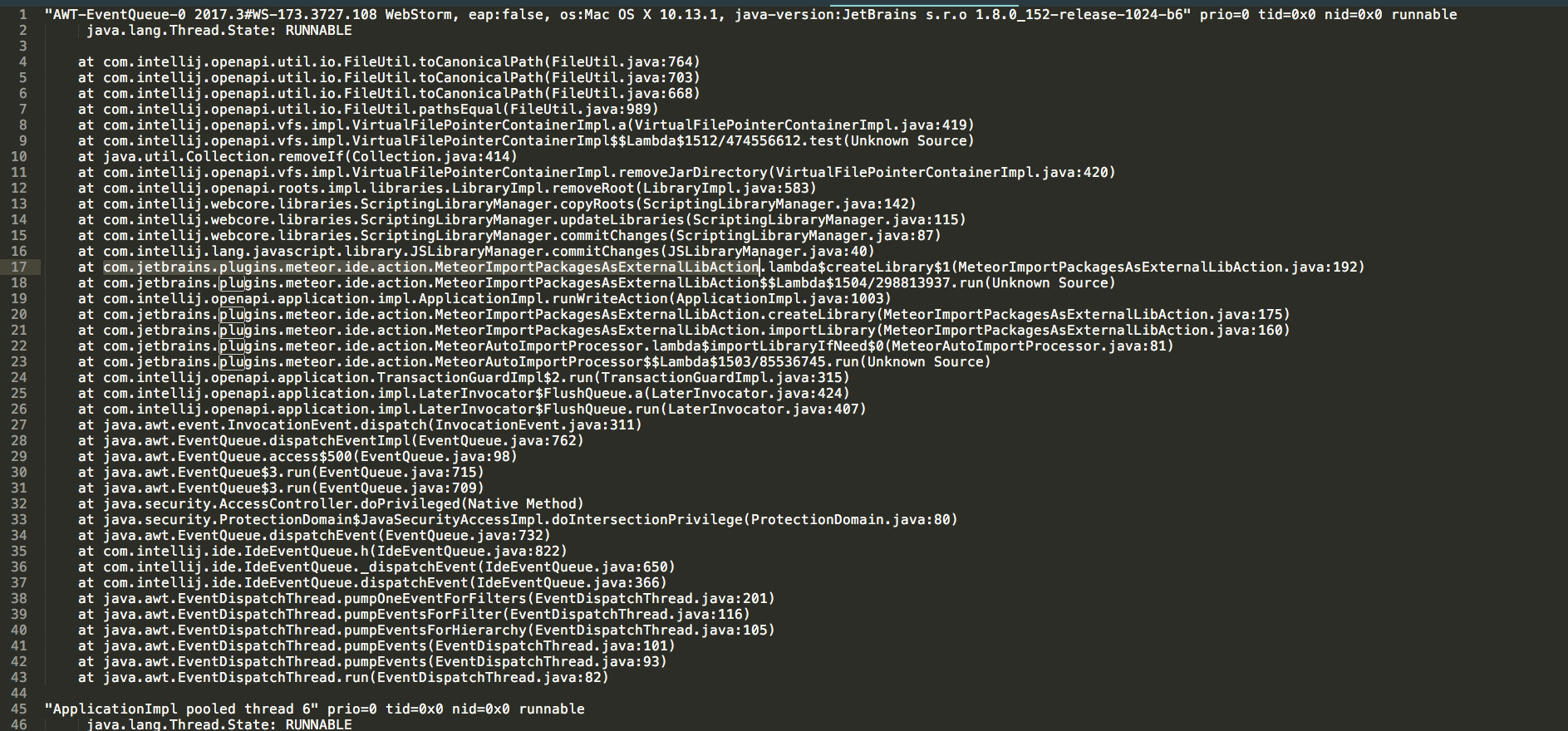
Please sign in to leave a comment.
Please try disabling Automatically import Meteor packages as external library in Preferences | Languages & Frameworks | JavaScript | Meteor - does it make things any better?
+1. I have been having nothing but problems with webstorm and meteor the last week or so now. every time i add something via npm to the project or via meteor add the entire webstorm environment freezes. I've disabled the plugins as well and cleared the cache. this seems to help, but it's a BIG problem for me. it's really disappointing. i hope they fix this soon.
Thanks for the quick response Elena. That seems to have fixed the issue. Besides having to import packages via 'meteor update' as mentioned here am I losing any major functionality by unchecking that box?
@Gpantrim no, you aren't
The issue is tracked as https://youtrack.jetbrains.com/issue/WEB-30155, it's fixed in 2017.3.1 update that is coming soon
Perfect. Thanks again for the quick support!
Thanks @Elena Pogorelova, disabling Automatically import Meteor packages as external library, also fixed the issue for me.