I don't see my coding result.
Answered

Hi Guys.
I am new to Java and the environment required.
I have installed JDK through http://www.oracle.com/technetwork/java/javase/downloads/jdk8-downloads-2133151.html
And I have installed IntelliJ Community version and follow some instructions to code in Java in IntelliJ
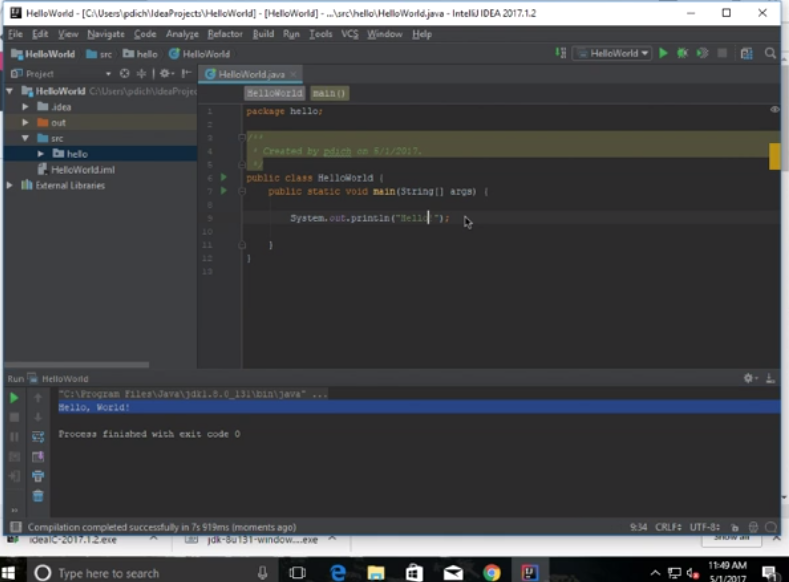
But my result is not the same as the instructions.
What have I done wrong?
( The second image is from the instructions, the first is mine)
I don't see the Hello World printed out. 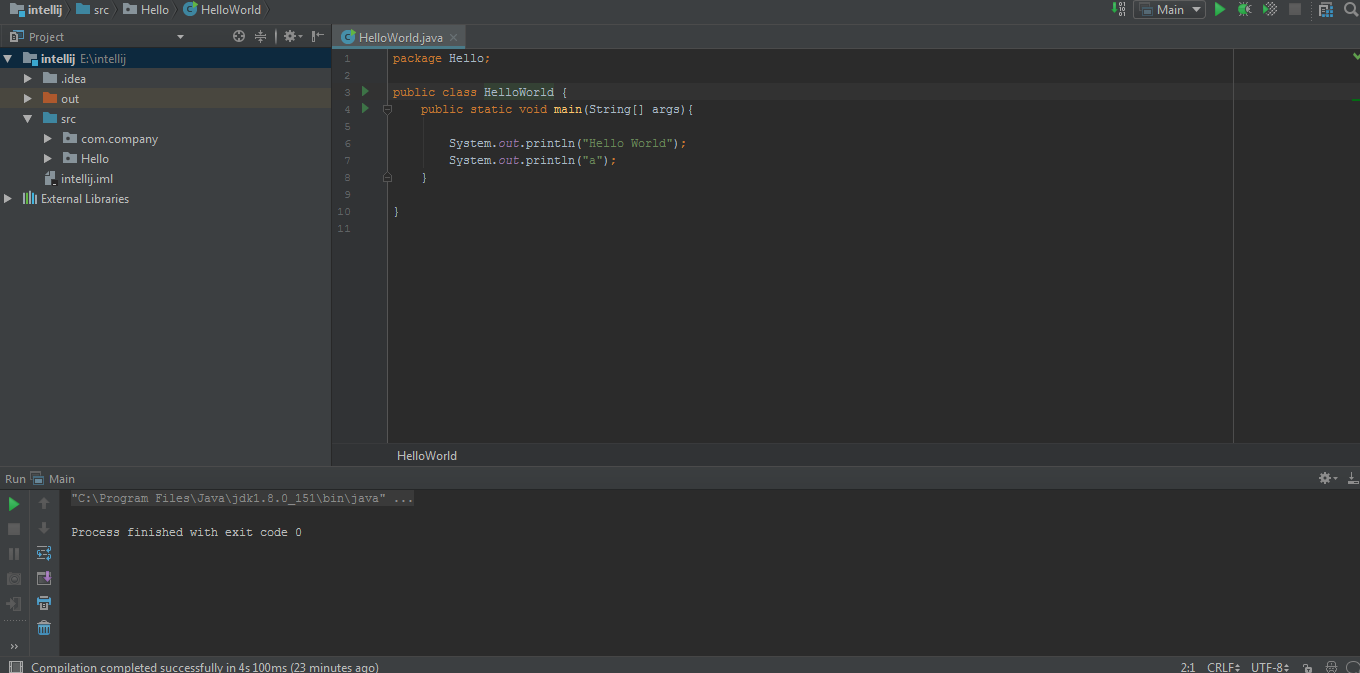
Please sign in to leave a comment.
The first screenshot shows that you are running Main class, not HelloWorld class. Note the name of the Run/Debug configuration in the toolbar.
Refer to https://www.jetbrains.com/help/idea/creating-and-editing-run-debug-configurations.html .
You can just right click in the HelloWorld class and choose Run from the context menu.
Thank you so much for your help Sir
I wish you have a nice day.