Gradle page in settings broken
Answered

Having Intelij Version 2017.3
I got myself a new Pc and I am trying to import a project that has gradle integrated.
If I go settings-> gradle that is what I see:
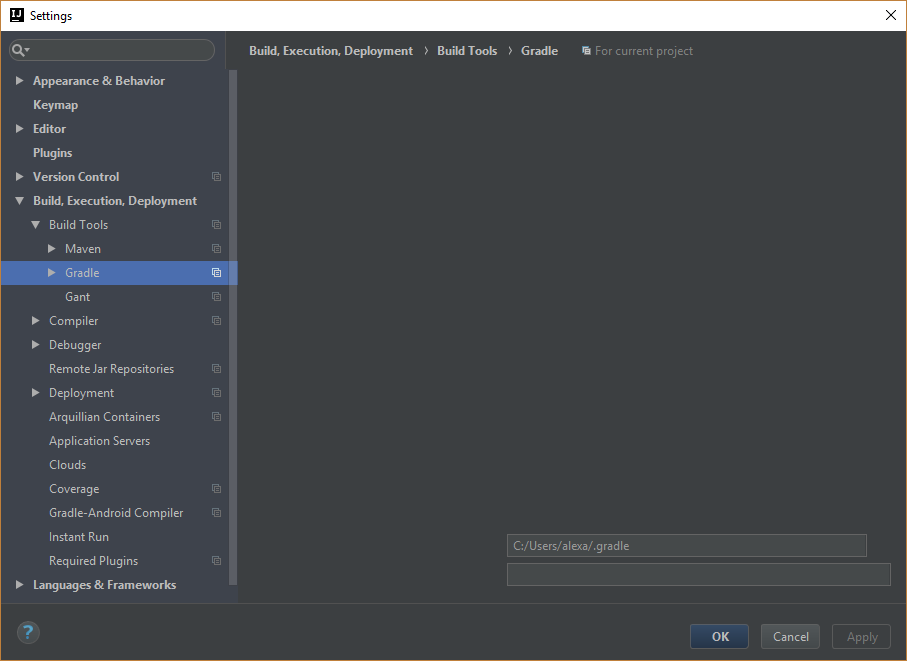
Same goes for the "import gradle project" in the event log, it only shows up the ok button all the other controls are not visible...
Please sign in to leave a comment.
colned https://github.com/FAForever/downlords-faf-client
Works with 2017.2.6
Try to reinstall from http://www.jetbrains.com/idea/download/index.html.
If the issue persists, file a bug at https://youtrack.jetbrains.com/issues/IDEA with idea.log attached (https://intellij-support.jetbrains.com/hc/articles/207241085).
Gradle import page also broken. 2017.3.4
Please report a bug with the logs attached as suggested above. Thanks!