hierarchy address bar on top of main editor updates incorrectly when find TextField is active
Answered

when find TextField is active (ctrl+f), the hierarchy address bar updates to current source file top, instead of to the correct code hierarchy path of last caret position.
what is expected : the address bar should always show correct hierarchy path according to the position in the code editor, this benefits the scenario of —— search for some string (typing), navigate up and down using keyboard, and wish to know immediately “where I am in the source code”.
current behavior : idea 2023.1 : when the find search box is active, the correct code address is lost and become incomplete.
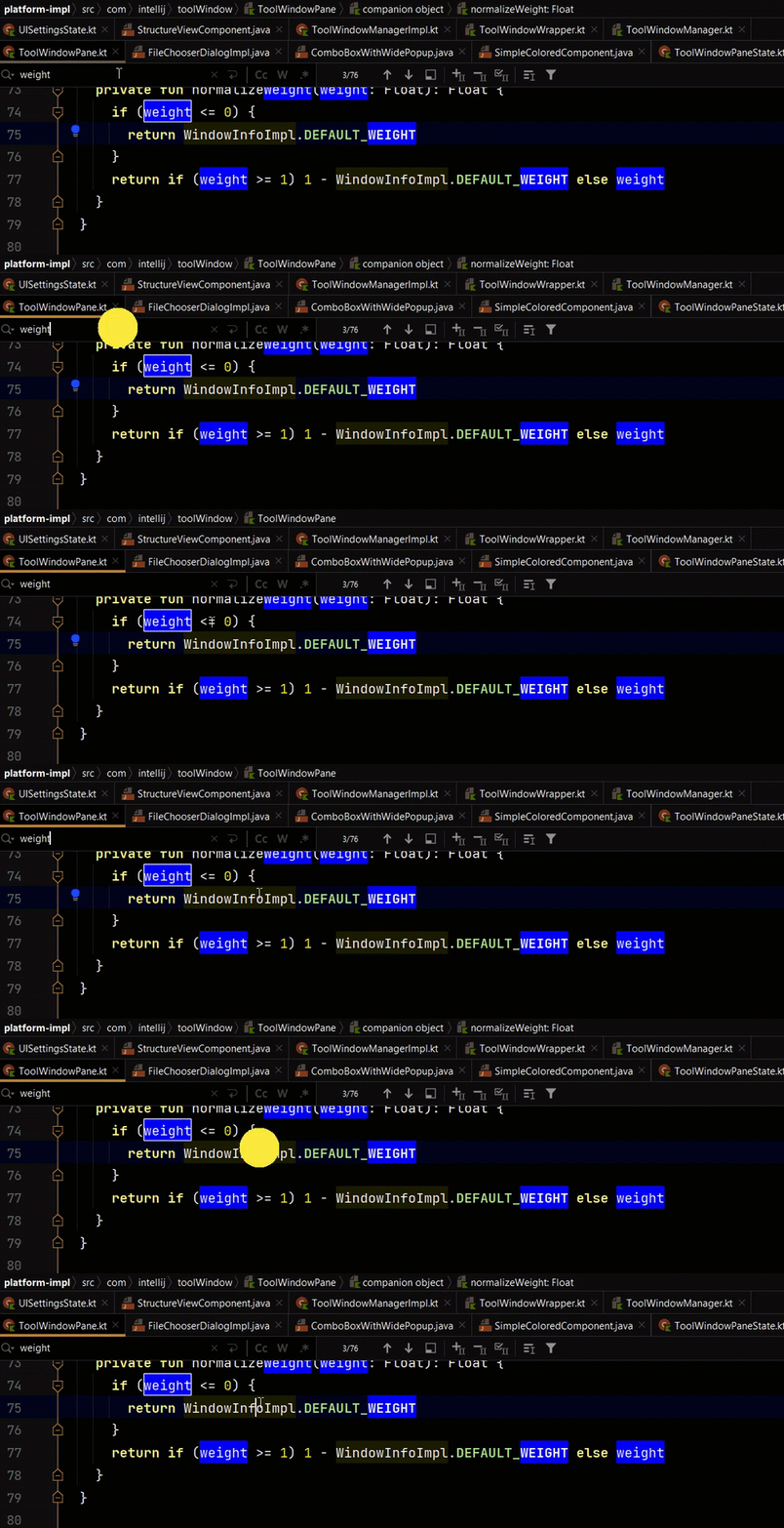
Also I want to customize the color, at least the part of package name, to distinguish address bar from the tab bar.
Please sign in to leave a comment.
workaround:
```
private var xxyyWin: Component? = null
if (focusedComponentInWindow is com.intellij.openapi.editor.impl.EditorComponentImpl) {
xxyyWin = focusedComponentInWindow
} else if (xxyyWin!=null && focusedComponentInWindow.javaClass.name.startsWith("com.intellij.find.SearchReplaceComponent")) {
focusedComponentInWindow = xxyyWin as Component;
}
```
this checks focusedComponentInWindow and when it is Editor, save it to static variable xxyyWin, and when it is SearchReplace box, replace it with xxyyWin.
Hi,
Currently IDEA shows the hierarchy of the current focus. When focus is moved to the find toolbar, it shows the file name only.
> search for some string (typing), navigate up and down using keyboard, and wish to know immediately “where I am in the source code”.
There is a rectangle in your line 74 from the screenshot indicating this content is the current matched one. I think most people use this info to know the current code position and the matched search results for replacing.
Also, in upcoming 2024.1, we will show a sticky line that shows your code belongs to which method directly: https://blog.jetbrains.com/idea/2024/02/intellij-idea-2024-1-eap-4/#sticky-lines-in-the-editor
Do these two ways solve your use case?