Pycharm failing to catch unresolved references

Pycharm 4
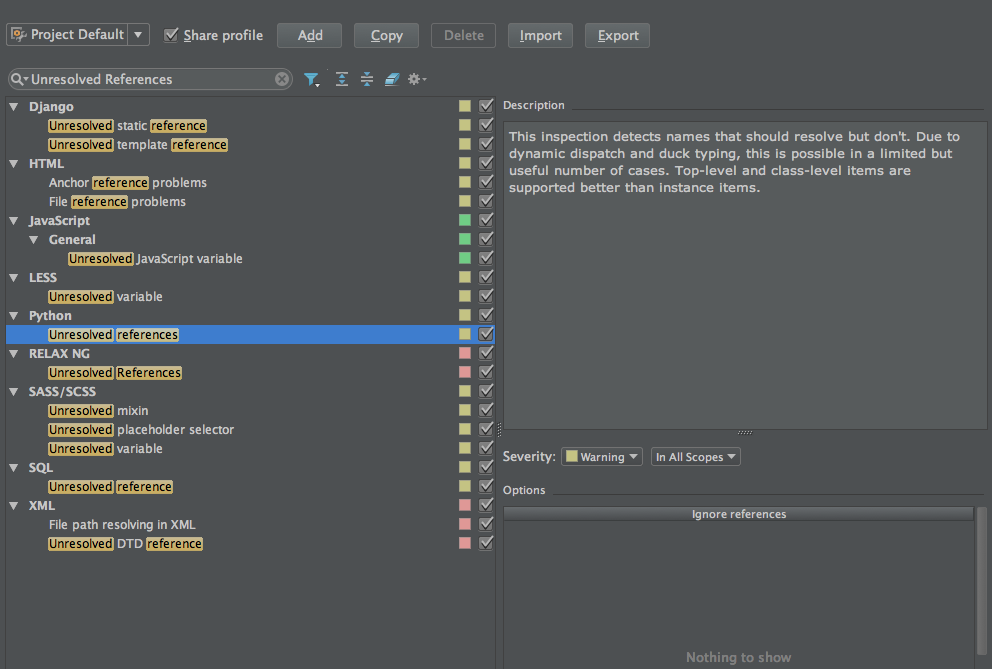
Generally I expect pycharm to highlight errors when I have references to unimported or incorrect references. But lately pycharm is not finding them.
I am on OSX Yosemite. I have tried invalidating caches and restarting, wiping my .idea folder, removing the app and all the associated files (https://www.jetbrains.com/pycharm/help/directories-used-by-pycharm-to-store-settings-caches-plugins-and-logs.html)
still no go. Any idea what i'm missing?
I'm not in powersave mode highlighting level is set to max. Still nothing



Generally I expect pycharm to highlight errors when I have references to unimported or incorrect references. But lately pycharm is not finding them.
I am on OSX Yosemite. I have tried invalidating caches and restarting, wiping my .idea folder, removing the app and all the associated files (https://www.jetbrains.com/pycharm/help/directories-used-by-pycharm-to-store-settings-caches-plugins-and-logs.html)
still no go. Any idea what i'm missing?
I'm not in powersave mode highlighting level is set to max. Still nothing
Please sign in to leave a comment.
Have you checked Settings -> Editor -> Inspections -> Python -> Unresolved References?