how to add android to Tools?

hi,
i am strugling with that for the last couple of hours.
i cant add android to the tools menu, the sdk manager is disable, android device manager is gray as well.
i have installed java sdk,android sdk and install all the packages, change system variables.
nothing is working.
plz help!
thanks
rony
Please sign in to leave a comment.
Please provide the screenshots from SDK Manager and Android SDK configuration in IntelliJ IDEA.
Make sure to follow https://www.jetbrains.com/idea/help/prerequisites-for-android-development.html .
hi,
thank you for your reply.
it seems like the android sdk folder was wrong.
when i open an android project now, the sdk manager and the android device monitor are enabled, and i can click on them.
the problem now is that when i open a flash project for mobile, they become disabled.
i have configured android sdk at platform setings.
You configure Android platforms in SDKs, then you choose the platform to use for a project.
thanks again.
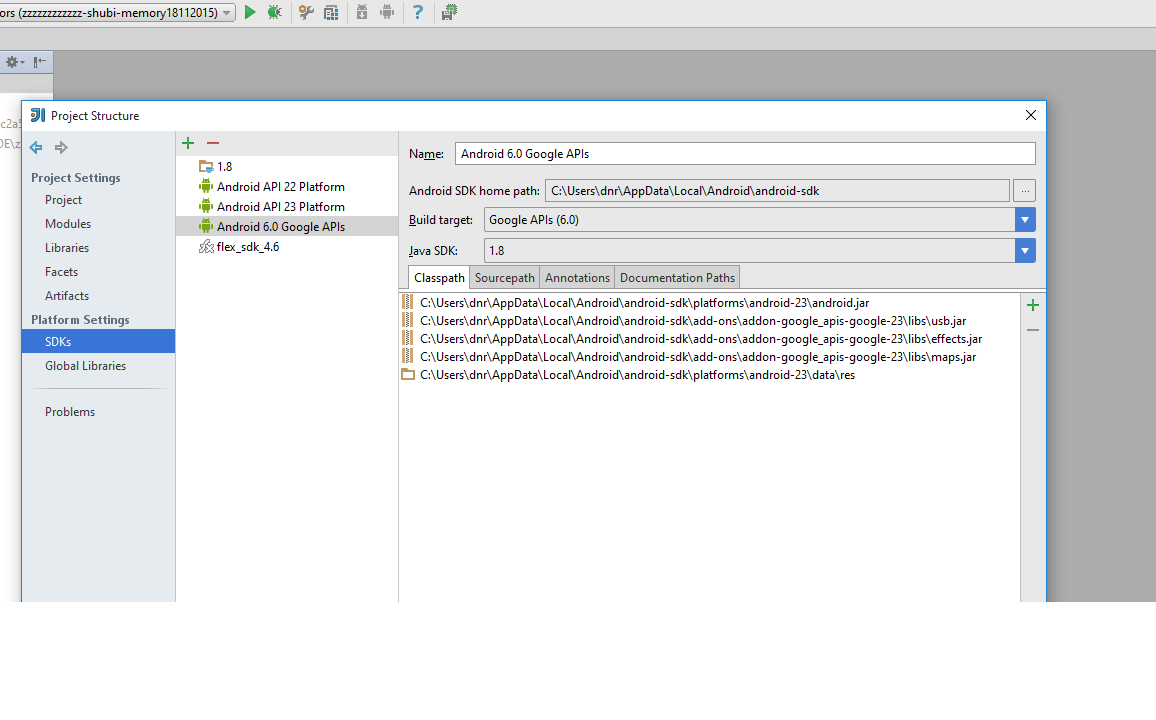
it seems like i am still doing somwthing wrong.
i have configured android platforms here as shown in the snapshot.
do i have to configured it on another place? or i have configured it wrong?
thank you very much!
Looks good. What's the problem?
thank you.
the problem is that the sdk manager and the android monitor devices are desabled.
and on the tools menu i dont have android.
What SDK is selected for your project and modules?
Hi,
Thank you!
Found the solution with your help.
Rony