Working with two projects at the same time

So I am been working with two projects opened in the same window. Reason being the two projects are in different repos, because one of the projects is a development tools assistance project for the other project. The secondary project is using the same interpreter as the primary project.
It works fine, both appear in settings Projects:
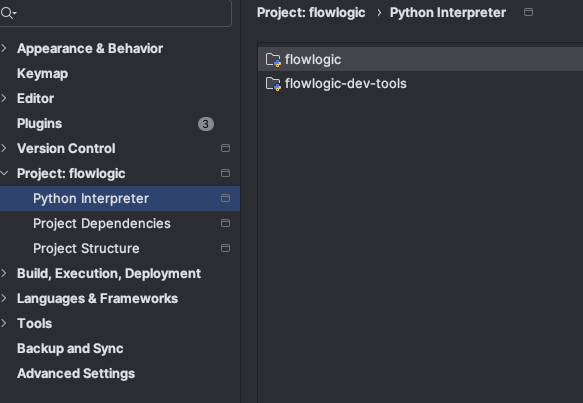
However, I am having trouble to instruct PyCharm which of the projects is the main project.
For example in the git quick access at the top sometimes I see the branch of the main project and sometimes of the secondary, very arbitrary.

When I open the terminal, sometimes it opens in the folder of the secondary project instead of the primary

How can i make sure that Pycharm allways prefers the primary project?
Please sign in to leave a comment.
> For example in the git quick access at the top sometimes I see the branch of the main project and sometimes of the secondary, very arbitrary.
Could you please share a screenshot of `File | Settings | Version Control | Directory Mappings` for investigating your issue?
> When I open the terminal, sometimes it opens in the folder of the secondary project instead of the primary
Did you use some command like `cd` to switch to the folder of the secondary project in Terminal?
PyCharm would always remember the Terminal state like the last working directory after restart.
You can select `Help | Find Action` from the main menu, type `Registry...`, select it, and in the opened list, find and disable the `terminal.persistent.tabs` option there (you can just start typing option's name directly to search it in this registry dialog) to see if it helps.
I had a similar situation with the terminal. I'm not sure about the branch issue.
Disabling ‘terminal.persistent.tabs’ did not work for me unfortunately. I got my terminal fixed by going to Settings → Tools → Terminal, then changing the Start Directory to the correct path.
Hope this helps.
Tyrellm Thanks! this setting fixed my terminal issue. Now is pointing to the main project, it seems to also have fixed the branches but 'll have to see
Lejia Chen
Hi Lejia Chen
The issue was not resolved
Still the git tool switches to the secondary project spontaneously.
I think your issue is the same as https://youtrack.jetbrains.com/issue/IJPL-112537 (New Git Branch widget does not represent current git repository in multiroot project)
Currently, when you open a file from the `flowlogic-dev-tools` project in the editor, the branch widget updates to show the branch for `flowlogic-dev-tools`.
Similarly, if you have a file from the `flowlogic` project open in the editor, it will show the Git branch info for `flowlogic`, so you know which branch you're working on.
Does this match your case?
Do you always want the widget to show the branch info for the `flowlogic` project and ignore the others?
Lejia Chen Yes! that is exactly what was happening, the widget repo depends on the actively edited file. I couldn't figure it out and it felt random to me.
This functionality makes perfect sense, now that I understand it I can work with it just fine.
Thank you for your assistance.