How to disable “floating” function signature line at top of editor?
Answered

Hello,
I’m using CLion 2025.3.1.1 (New UI, Windows 11) and I’m seeing a weird editor behavior I can’t turn off.
When my caret is inside a function and the function header/signature is scrolled out of view, CLion sometimes shows one single “pinned” line at the very top of the editor with the function signature (it looks like real code, syntax highlighted, not a tooltip/popup). It’s most noticeable when I move the caret to an empty line at the beginning of the line.
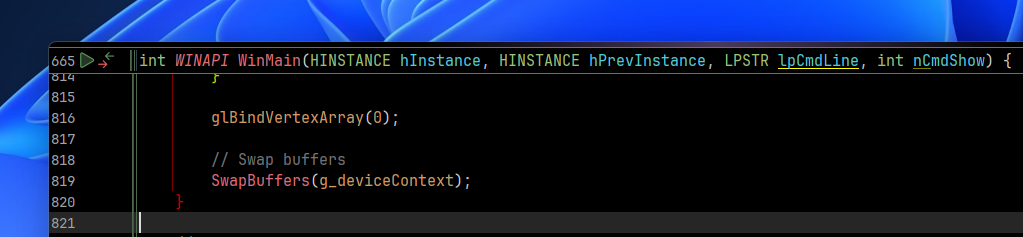
What I tried:
- Disabled Editor → General → Sticky Lines
- Also checked the gutter Appearance options
- If I enable Sticky Lines, I get the “normal” sticky lines behavior (different look, can show more than one line), but this single floating signature line is a different thing and still happens / doesn’t match.
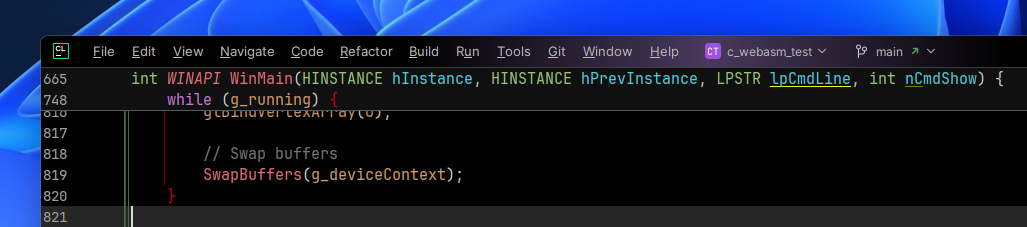
Also, I can’t find an action like “Context Info” in Find Action, and binding shortcuts to similar actions doesn’t reproduce this “pinned line”.
How is this feature called and where can I disable/configure it?
Thank you for your support!
Please sign in to leave a comment.
Hello!
Here is the related issue in our bug tracker - RIDER-134431. It's located in the Rider tracker because CLion uses the language engine originally developed for ReSharper C++ and Rider - https://www.jetbrains.com/help/clion/clion-language-engines.html.
Please comment or upvote RIDER-134431 to get updates. See https://intellij-support.jetbrains.com/hc/en-us/articles/207241135-How-to-follow-YouTrack-issues-and-receive-notifications if you are not familiar with YouTrack.
Sorry for the inconvenience.
Ah, I see, thank you. You can close this post now if you want