Freez when try to import project
Answered

Hi,
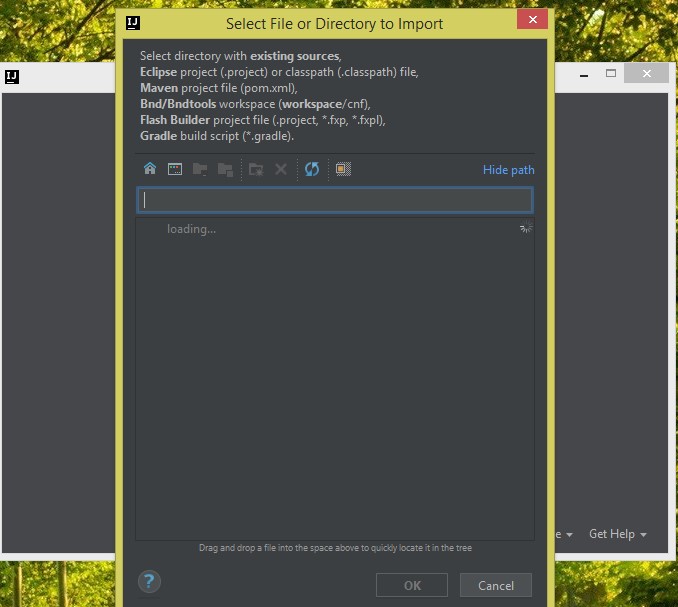
I have a problem with IDEA 2018.4 x64 Ultimate. When I run Idea, and the "welocome to IntelliJ Idea" window appear, I want to import project and I'm clicking on this button. New window appear, where I should choose path to my project. But no drives appear and whole idea is frozen (I need to kill process).
I have windows 8.1.
Here is screen with "frozen" stage (spinner is not spinning and I can't click anyting):
Please sign in to leave a comment.
What JDK is used to run IntelliJ IDEA? See https://intellij-support.jetbrains.com/hc/articles/206544879 .
Please share the thread dumps, see https://intellij-support.jetbrains.com/hc/articles/206544899 (use jstack). You can upload the files per https://intellij-support.jetbrains.com/hc/articles/206869619.
The issue can be caused by the slow/disconnected network drives.
Hi,
1. Java:
2. Java dump: filename dump_MW_1.txt
3. I have one network device, but I can log to it and it should be working fine.
The question was about Java used to run IntelliJ IDEA, not your system Java.
According to the uploaded dump, IntelliJ IDEA is running under Oracle Corporation 1.8.0_65-b17.
This Java version is very old and is known to cause such issues.
Switching back to JetBrains Runtime as described in https://intellij-support.jetbrains.com/hc/articles/206544879 will fix the problem.
It was Java problem (I have set IDEA_HOME variable pointing to wrong JVM).
Many thanks for help :)