Color scheme corrupted
Answered

Hi,
I tried some custom color themes installed as plugin, then returned back to "IntelliJ" theme.
Now I see weird colors in tabs and in project tree.
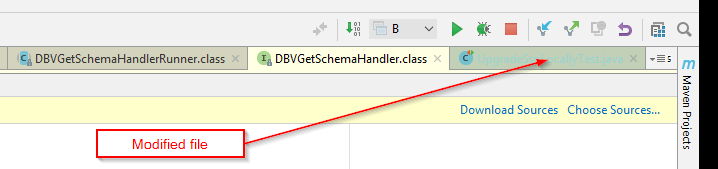
Is there any way to reset color scheme?
Thanks,
Victor
Please sign in to leave a comment.
It looks like the Scopes color is modified: https://www.jetbrains.com/help/idea/configuring-scopes-and-file-colors.html. Settings can be reset by deleting the config directory (https://intellij-support.jetbrains.com/hc/articles/206544519). Also make sure plug-in is not present under the plugins directory.
I deleted only "colors" folder under the config directory. Then colors have been reset to the normal scheme. Thanks a lot!