Order of ALT+Enter options
Answered

As of IDEA 2018.2, the order in which options in the ALT+Enter (Intentions) menu appear has changed. To me, the order is now less logical and relevant to the current context than it was before. Is it possible to change the order?
For example, given a JUnit class MyClassTest in a Java project, hitting ALT+Enter on the class name previously gave Run 'MyClassTest' as the first option. That option is now 4th in the menu, and the first is 'Create Subclass', which to me is simply not relevant.
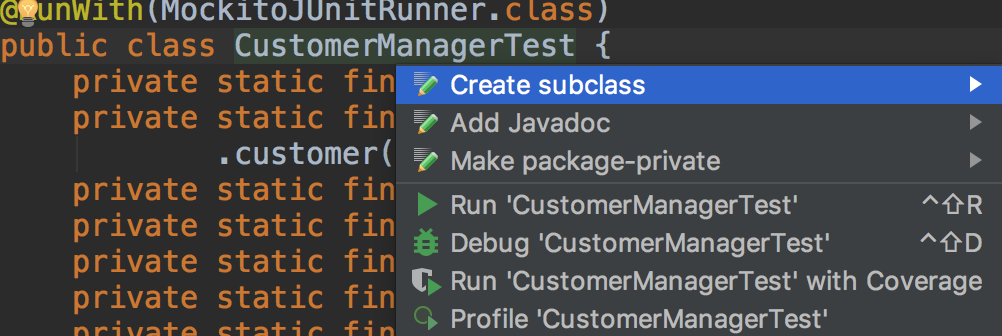
To me it seems logical to provide the test runner options first in the context of a unit test class. It would be nice to be able to customise this order so I can demote the options not relevant to me.
Please sign in to leave a comment.
Replied at https://stackoverflow.com/a/51754068/104891.
We also have some related issues, please follow https://youtrack.jetbrains.com/issue/IDEA-192611 and https://youtrack.jetbrains.com/issue/IDEA-88512