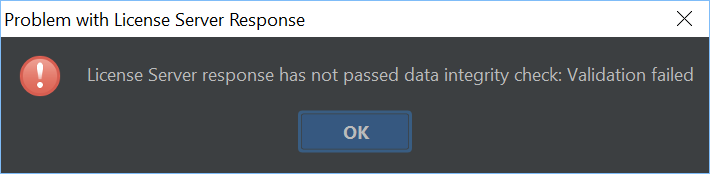
License server response has not passed data integrity check: validation failed error

I'm using IDEA Ultimate 2018.1.3 in Windows and our team has a license server. I work remotely via VPN and I notice that if the VPN connection drops I usually encounter this error within a minute or so in IntelliJ. It doesn't always happen, but it seems to happen most of the time. It used to be that my instance would be OK for about 48 hours (grace period), but no longer.
We recently migrated our license server to another machine and I'm successfully able to get a floating license from it, but even if I've just gotten a floating license if I shut down the VPN connection a few minutes later I encounter this.
Any ideas as to what the issue could be? I'm aware of one other dev on our team that's encountering this as well.
Thanks.
Please sign in to leave a comment.
License server is not designed to be used for offline work. IDE must always maintain a connection to the server. If you work offline, consider using JetBrains account instead where you can download the off-line activation code.
In your specific case the issue may be that IDE gets some response from the server URL it's trying to connect to. When the VPN is not available it may be a response from a proxy server or some other resource that opens by the same address.
Hi Serge,
Thank you for your response.
Is there still a 48 hour grace period for floating licenses when not connected to the license server? If that's the case then I would propose that this is a bug.
If in fact my instance is somehow getting a malformed response from the server (or perhaps another device on the IP that the license server would otherwise resolve to when connected to the VPN) then I would argue that IntelliJ should be aware that it recently received a floating license, handle this error, and continue to operate until the grace period has been exhausted. Otherwise this renders IntelliJ pretty useless for things like plane trips or network outages.
While I do have a JetBrains account the company policy is to use the license server, for which I believe we have a significant amount of licenses.
Thanks again.
Check the response at https://intellij-support.jetbrains.com/hc/en-us/community/posts/206807935-License-server-How-to-deal-with-offline-clients-?page=1#community_comment_206250175.
You should not use license server to register the product when the server is not 100% available. License server is supposed to be used only in the company local network when the user has permanent connection to the server.
For offline use consider different registration methods.