Fonts in JetBrains products
Answered

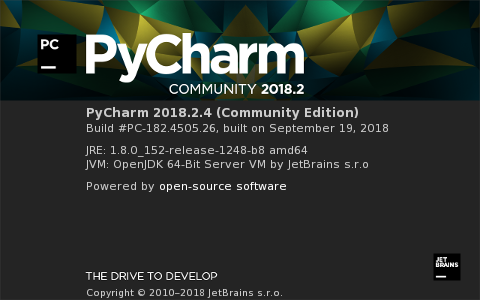
We have two Linux servers: old and new one. I provide "about' from old and new.
In the new server I have problem with fonts for IntelliJ products (PyCharm and IntelliJava).
What I have to change to fix the problem ?

Please sign in to leave a comment.
Hi Semkin55,
What is your desktop environment?
Please upload your logs folder (Help | Compress Logs and Show in...) to https://uploads.services.jetbrains.com/ and let me know the name of that zip file.
Hi Sergey,
My desktop runs Windows 7 Enterprise and Hummingbird Exceed 11.00
I have uploaded file idea.zip (first time only idea.log, but second time whole log directory from HOME/.IdeaIC2018.2/system
Let me know, if you need additional info.
Thanks,
Semyon
Could you please try changing IDE's fonts as described in https://stackoverflow.com/questions/46387595/intellij-idea-how-to-change-the-language-to-english?answertab=votes#tab-top?
Does running under different 1.8 JDK (not bundled one) help? (https://intellij-support.jetbrains.com/hc/en-us/articles/206544879)
I tried versions 8, 9, 10, 11 from Oracle with the same result
Does the problem remain in 2018.3 version?
Please check https://intellij-support.jetbrains.com/hc/en-us/community/posts/360000620064/comments/360000209024 and try adding the following line (Edit -> Custom VM Options)
I fixed the problem by the following:
- delete line "-Dawt.useSystemAAFontSettings=lcd" in idea64.vmoptions
Immediately, I can see some words in the 'Appearance' tab
- Change antialiasing for IDE and Editor in the 'Appearance" to 'Grayscale' (top choice still not recognizable, 'No antialiasing' available too)
- Still some words not recognizable
- After 'Apply' and 'OK' (I know where they are) everything works !
In one place I don't know how to change font: start-up for the 'IDEA'.
I see
but should be
Have you checked my previous message? https://intellij-support.jetbrains.com/hc/en-us/community/posts/360001507319/comments/360000264880
If nothing helps, please report it to https://youtrack.jetbrains.com/issues and attach idea.log.
I don't see 'Override default fonts by'. I believe it is 'Use custom font'.
Tried all of them and submitted report.