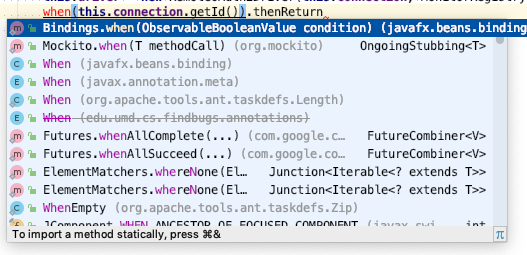
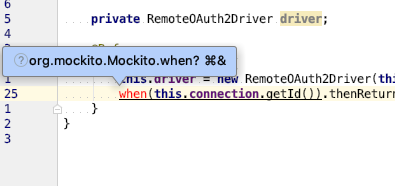
I do not know how to get "⌘&" to work or how to change it

I have been using IntelliJ IDEA for a while now (currently on IntelliJ IDEA 2018.3.2 Ultimate - more info below), and every so often I try to figure out how to use the auto-import fixing shortcut key without luck. I've included a couple of screenshots, but the short description is that there are several functions in IntelliJ that require the use of "⌘&" as a shortcut key, and I cannot type that key combination. I have also been unable to figure out how to change that shortcut key. Can someone help me? I've included screenshots of where it prompts me for this keyboard shortcut.
IntelliJ IDEA 2018.3.2 (Ultimate Edition)
Build #IU-183.4886.37, built on December 17, 2018
JRE: 1.8.0_152-release-1343-b26 x86_64
JVM: OpenJDK 64-Bit Server VM by JetBrains s.r.o
macOS 10.14.5
Please sign in to leave a comment.
Please see https://www.jetbrains.com/help/idea/creating-and-optimizing-imports.html .
The shortcut can be changed here:
Thank you! This will help with my productivity immensely.