Marketplace Plugins are not loaded
Answered

Hello, I'm working for a company and I currently have access to https://plugins.jetbrains.com/ but inside IntelliJ, when I browse the Marketplace, it says:
Marketplace Plugins are not loaded
Check the internet connection and try again
How can I configure it to be able to browse and download?
Thank you
Please sign in to leave a comment.
No wait, I imported the cert into the C:\Program Files (x86)\JetBrains\IntelliJ IDEA 12.1.8\jre\jre\lib\security\cacerts file using the keytool from the 1.8 JDK. I'll triple-check that tomorrow. And outside the corporate network too.
http://portecle.sourceforge.net/ is a nice tool to double check or import it with the UI.
> I'll triple-check that tomorrow. And outside the corporate network too.
Checked 3 cacerts files for myworkcert using keytool -keystore .\cacerts -list:
C:\Program Files (x86)\JetBrains\IntelliJ IDEA 12.1.8\jre\jre\lib\security
myworkcert, Mar 12, 2020, trustedCertEntry,
Certificate fingerprint (SHA1): [SNIP]
C:\Program Files\Java\jdk1.8.0_241\jre\lib\security
keytool error: java.lang.Exception: Alias <myworkcert> does not exist
C:\Program Files\Java\jre1.8.0_241\lib\security
keytool error: java.lang.Exception: Alias <myworkcert> does not exist
In IDEA, clicked the "Browse repositories..." button when outside the corporate network. The repository lists populates but an error message displays too. Was able to scroll through the list and install the desired plugin anyway, yay!
List of plugins was not loaded: Server returned HTTP response code: 400 for URL: http://plugins.jetbrains.com?build=IU-129.1561
Hmm... The message said http. We already modified the idea.properties file with idea.plugins.host=https://plugins.jetbrains.com. Maybe it's trying both http and https and only one of them succeeds?
This can happen if you added repository URL with HTTP manually in Manage Repositories:
I am facing same issue. I work for a company and I am trying to install lombok plugin. but in the plugin area i get this message "search results are not loaded, check the internet connection" in my proxy setting it is set to no proxy. using intelij 2019.2.4. any help is appreciated
Keerthukaran please provide the logs as described at https://intellij-support.jetbrains.com/hc/en-us/community/posts/360004275380-Marketplace-Plugins-are-not-loaded?page=1#community_comment_360000776140 .
After adding idea.plugins.host=https://plugins.jetbrains.com in the idea.properties file I get the following error.
This is the log output
2020-04-01 12:15:17,008 [ 462726] INFO - .ide.plugins.PluginManagerMain - Received close_notify during handshake
javax.net.ssl.SSLException: Received close_notify during handshake
at com.sun.net.ssl.internal.ssl.Alerts.getSSLException(Alerts.java:190)
at com.sun.net.ssl.internal.ssl.SSLSocketImpl.fatal(SSLSocketImpl.java:1747)
at com.sun.net.ssl.internal.ssl.SSLSocketImpl.fatal(SSLSocketImpl.java:1703)
at com.sun.net.ssl.internal.ssl.SSLSocketImpl.recvAlert(SSLSocketImpl.java:1801)
at com.sun.net.ssl.internal.ssl.SSLSocketImpl.readRecord(SSLSocketImpl.java:1004)
at com.sun.net.ssl.internal.ssl.SSLSocketImpl.performInitialHandshake(SSLSocketImpl.java:1188)
at com.sun.net.ssl.internal.ssl.SSLSocketImpl.startHandshake(SSLSocketImpl.java:1215)
at com.sun.net.ssl.internal.ssl.SSLSocketImpl.startHandshake(SSLSocketImpl.java:1199)
at sun.net.www.protocol.https.HttpsClient.afterConnect(HttpsClient.java:476)
at sun.net.www.protocol.https.AbstractDelegateHttpsURLConnection.connect(AbstractDelegateHttpsURLConnection.java:166)
at sun.net.www.protocol.https.HttpsURLConnectionImpl.connect(HttpsURLConnectionImpl.java:133)
at com.intellij.ide.plugins.RepositoryHelper.process(RepositoryHelper.java:72)
at com.intellij.ide.plugins.PluginManagerMain$3.construct(PluginManagerMain.java:221)
at com.intellij.util.concurrency.SwingWorker$2.run(SwingWorker.java:155)
at java.lang.Thread.run(Thread.java:695)
It's not clear why it happens. More details could be found by adding -Djavax.net.debug=ssl in the IDE VM Options (https://intellij-support.jetbrains.com/hc/articles/206544869). If you start IDE in the Terminal you should get SSL debug logging in the console.
Do you use any proxy?
I do not use a proxy
If possible, please upgrade to the current release: http://www.jetbrains.com/idea/download/index.html. Otherwise please provide SSL debug logging as requested above for further investigation.
Sorry but i can not afford an upgrade unless it's free. I'm using a paid licensed version of IntelliJ 12 Ultimate.
Please contact support at https://intellij-support.jetbrains.com/hc/requests/new with the SSL debug logs.
Sorry for the back and forth. How do I obtain the ssl logs? I have followed you're instructions but when I start the IDE from the command line I do not see the SSL logs. What am I doing wrong? I'm starting it from /usr/local/bin/idea12 and the IDE fires up but I do not see the ssl log.
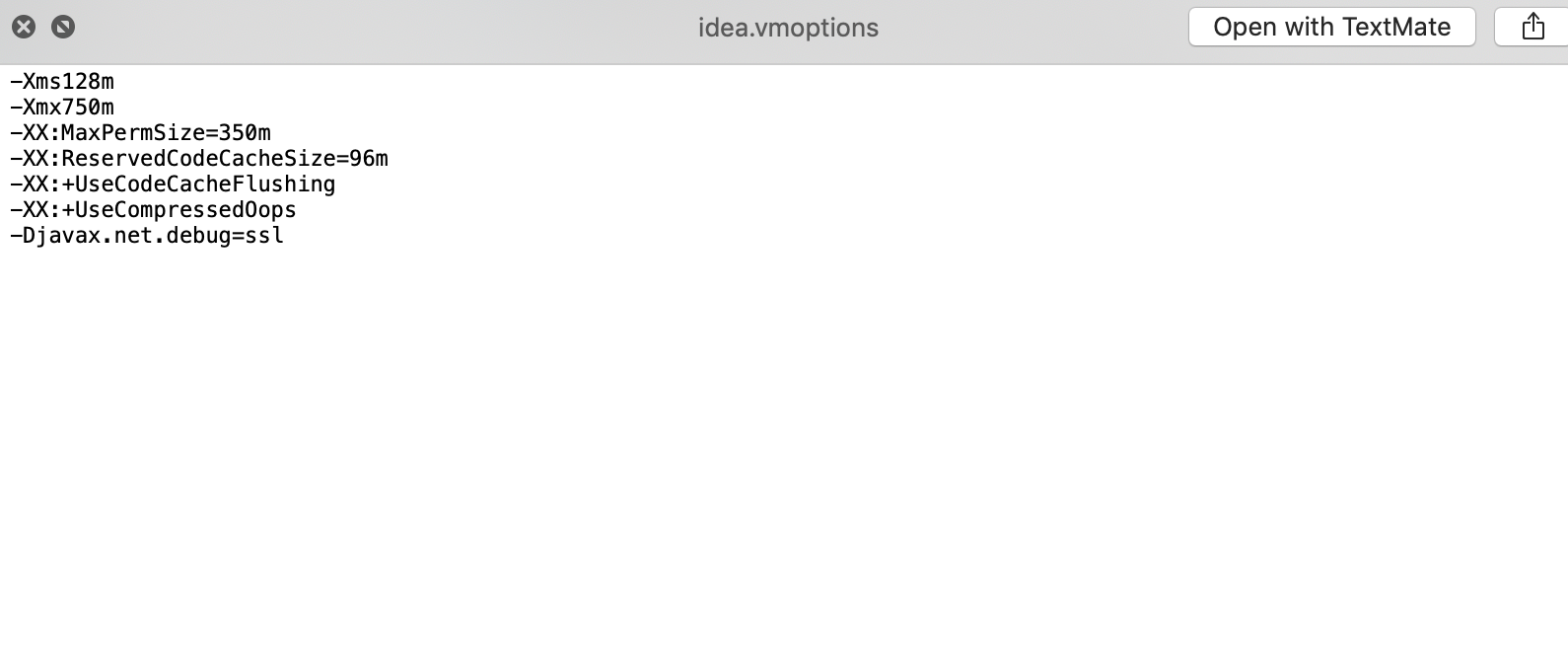
See https://intellij-support.jetbrains.com/hc/en-us/articles/360011901879-How-to-start-IDE-from-the-command-line .
Have the same issue. I'm using the latest up-to-date version of Idea Ultimate: 2020.1.1
Right now HTTP proxy is disabled. But I tried different combinations with no luck.
In log file there is a lot of following fragments:
Tried to search for specific plugin (Lombok). Here is excerpt from the log:
Thread with Andrei Moiseev:
https://intellij-support.jetbrains.com/hc/en-us/community/posts/360008220659--Ubuntu-Idea-Marketplace-Plugins-are-not-loaded
I am having the same issue, no plugins are loaded, check the internet connection. I enabled auto-proxy and tested for connection but that doesn't fix the issue. I currently have access to https://plugins.jetbrains.com/ but inside IntelliJ, when I browse the Marketplace, I am not able to do so.
I have uploaded the logs and Upload id: 2020_08_12_XXqd9AD3Y8MVbQWZ (file: ideaNM.log)
Please assist. Thanks!!
Do you have any proxy in the browser? Connection from the IDE to the plugins site times out. It can be a local firewall block per process or a proxy may be required to be configured explicitly to access external resources. Does the same issue occur in 2020.1 release?
Yes, tried with 2020.1 release also. Same issue is there.
Contact your IT/Security team, looks like some firewall block.
I have a similar problem only with Intelij, my other IDE as Rider and Intelij Edu work fine
The file is idea-logs-20201211-151134.zip
If you uploaded the file at https://uploads.jetbrains.com, please provide the upload ID instead of the file name.
Leaving this for posterity in case someone else ends up in this scenario:
I changed my MacOS user folder, existing projects are ok for the most part but plugins were lost and they would not load when trying to reinstall them.
Solution: bring up "Edit Custom VM Options..." e.g. from Find Actions, and fix the path in Didea.plugins.path which did not update automatically.
Hello I'm having same issue as many of the user in here:
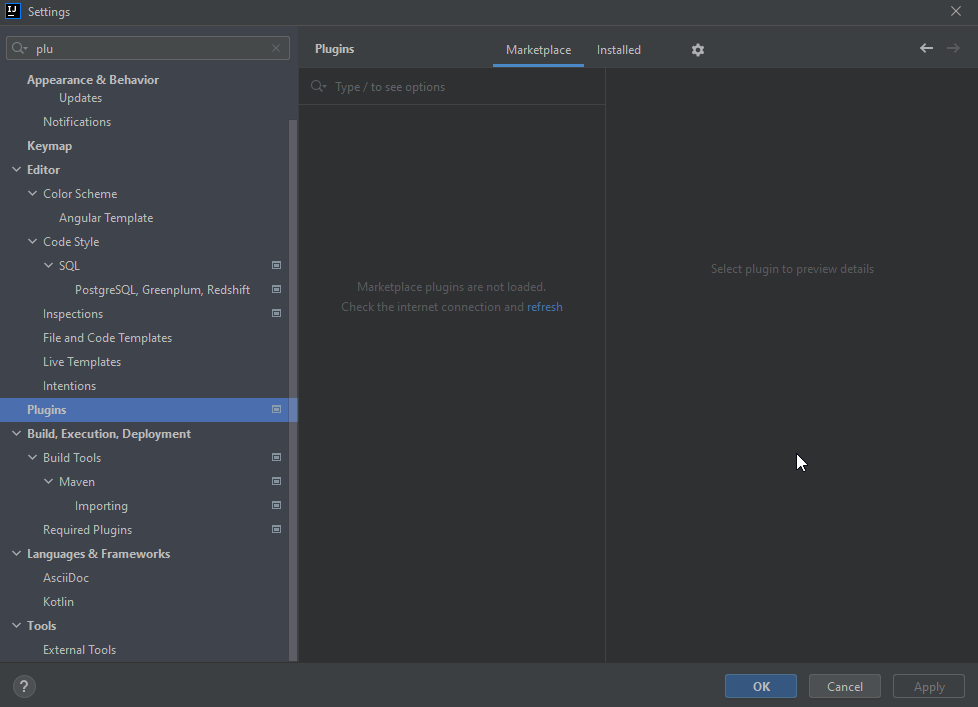
Any help?
Please check if you can open https://plugins.jetbrains.com in your browser. Try to disable any firewall that might be blocking connections from Intellij IDEA.
Are you able to ping
plugins.jetbrains.comfrom IntelliJ IDEA terminal?Try launching the IDE with default settings. `Help | Manage IDE Settings | Restore Default Settings...`
Hi Egor,

Yes I can open the page and ping `plugins.jetbrains.com`
I didn't find `Help | Manage IDE Settings | Restore Default Settings...`
Sorry, I meant "File | Manage IDE Settings | Restore Default Settings..."
But this will reset my configuration? I don't even know what configuration I have after all this years, can it be fixed by a less drastic approach? If I export and share my settings?
######### EDITED #############
I see Intellij does a backup in case I'll need it back
Yes, you can import backed up settings as per https://www.jetbrains.com/help/idea/sharing-your-ide-settings.html#import-export-settings . Let me know if resetting settings didn't help.