Issue with Navigate > File
Answered

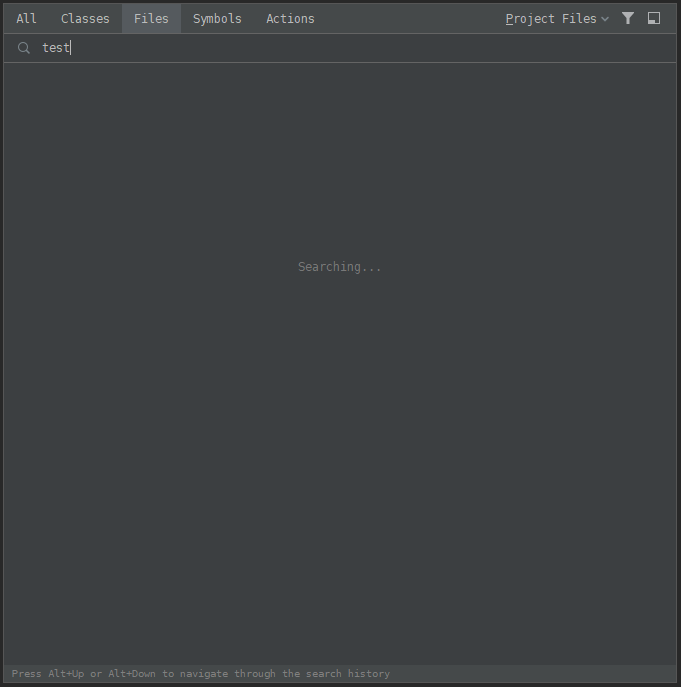
My "Go to File" functionality stopped working unexpectedly and I'm wondering if anyone else has had this issue. No matter what I search for, all that is shown is the "Searching..." state.
I have tried changing the scope, filters, including non-project items, invalidating caches, restarting, updating to the most recent version, rolling back to the previous version, reinstalling IntelliJ, recreating my project, just about everything I can think of.
One thing worth noting is that from this screen if I click the "Open in Find Tool Window", all the results are shown correctly. It is just the shortcut menu that isn't working.
Please sign in to leave a comment.
What OS/Window manager do you use? Are there any exceptions in the logs? Help | Compress Logs and Show in ...
I am on Windows 10.
It does appear there are exceptions being thrown. Thank you for the hint to get to these logs, I was looking at the Event Log for errors. Why would this error not be showing up in the Event Log?
I disabled the setting "Show icons in quick navigation" at Appearance > UI Options and it fixed the issue.
Thanks for the report, I've submitted it to the issue tracker. Please star/vote the issue to receive notifications: https://youtrack.jetbrains.com/issue/IDEA-229447.
> Why would this error not be showing up in the Event Log?
IntelliJ IDEA is a cross platform application using its own logging instead of the platform specific logging.