Display files under folders on Navigate Files
Answered

If you have the following project structure:
helpers/
helpers/util.java
helpers/transform.java
main.java
And you do Navigate > Go To File and search for helpers, you will only see the helpers folder inside the navigation preview instead of also seeing util.java and transform.java
Is it possible to change this behavior of Navigate to show the files inside folders as well? It's really hard to navigate these quickly otherwise.
Please sign in to leave a comment.
Try typing the asterisk after the folder name, for example helpers/* or just helpers* for wider match.
Doesn't seem to work.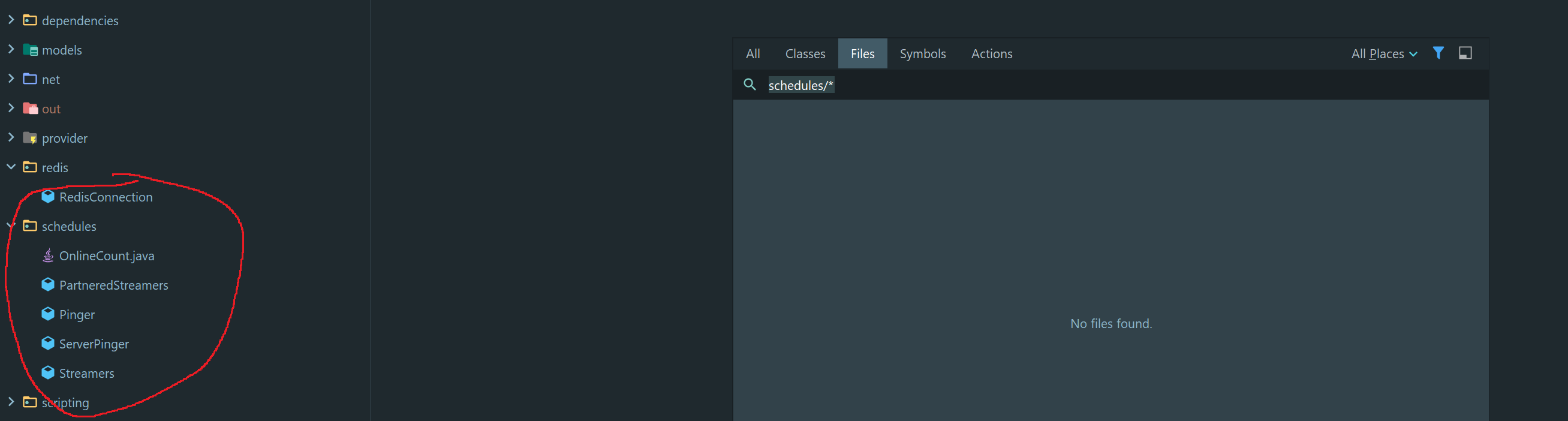
Can you link a project where we can reproduce it? Works fine here:
After some testing it seems to work for a brand new empty project with only two files but it literally takes 2-3 seconds for the files to start showing up after I type helpers/*. I'm guessing nothing is showing up at all with my other project because it has a bunch more files.
Is this normal behavior on Windows 10? My specs are high-end as well.
If you have a reproducible test case, please file a bug at https://youtrack.jetbrains.com/newIssue?project=IDEA . Attach the project to the issue.
CPU snapshot may be also helpful to understand why it's taking so long: https://intellij-support.jetbrains.com/hc/articles/207241235 .