How to create Build Configuration after importing Flash project from Flash Builder?
Answered

Hello!
After years of pain I decided to leave Flash Builder and try out IntelliJ IDEA Ultimate (both on Windows 10). I was able to set up AIR SDK and import my existing project folder from Flash Builder. But when I try to debug the project I am told "Error: Build configuration is not specified" and there is nothing I can chose from. So obviously I have to create that build config first. But how? I couldn't find any helpful information in the web.
Thank you,
Marc
Please sign in to leave a comment.
Could you send a screenshot of the error, or, even better, a sample project where the error could be reproduced? You can share it privately:
https://intellij-support.jetbrains.com/hc/en-us/articles/206869619-Uploading-Large-Files-for-JetBrains-Support-Team
Hi there,
I am having this same problem. I need to make some changes for a client, and have reinstalled IntelliJ since my last deliveries to them. Now, when I open the AIR project, and try to create a debug configuration, I'm faced with the above, "Error: Build configuration is not specified". Attached is a screenshot. There are no other options in the "Build configiuration:" dropdown, only "[none]". I'm trying to target iOS and the desktop simulator. Please advise!
IDE is IntelliJ IDEA 2020.2.1 (Ultimate Edition)
Build #IU-202.6948.69, built on August 24, 2020
Licensed to Joseph Diefenbach
Subscription is active until March 21, 2021
Runtime version: 11.0.8+10-b944.31 x86_64
VM: OpenJDK 64-Bit Server VM by JetBrains s.r.o.
macOS 10.15.3
GC: ParNew, ConcurrentMarkSweep
Memory: 1979M
Cores: 12
Non-Bundled Plugins: com.intellij.flex, Dart, io.flutter, aws.toolkit
Thanks,
Joseph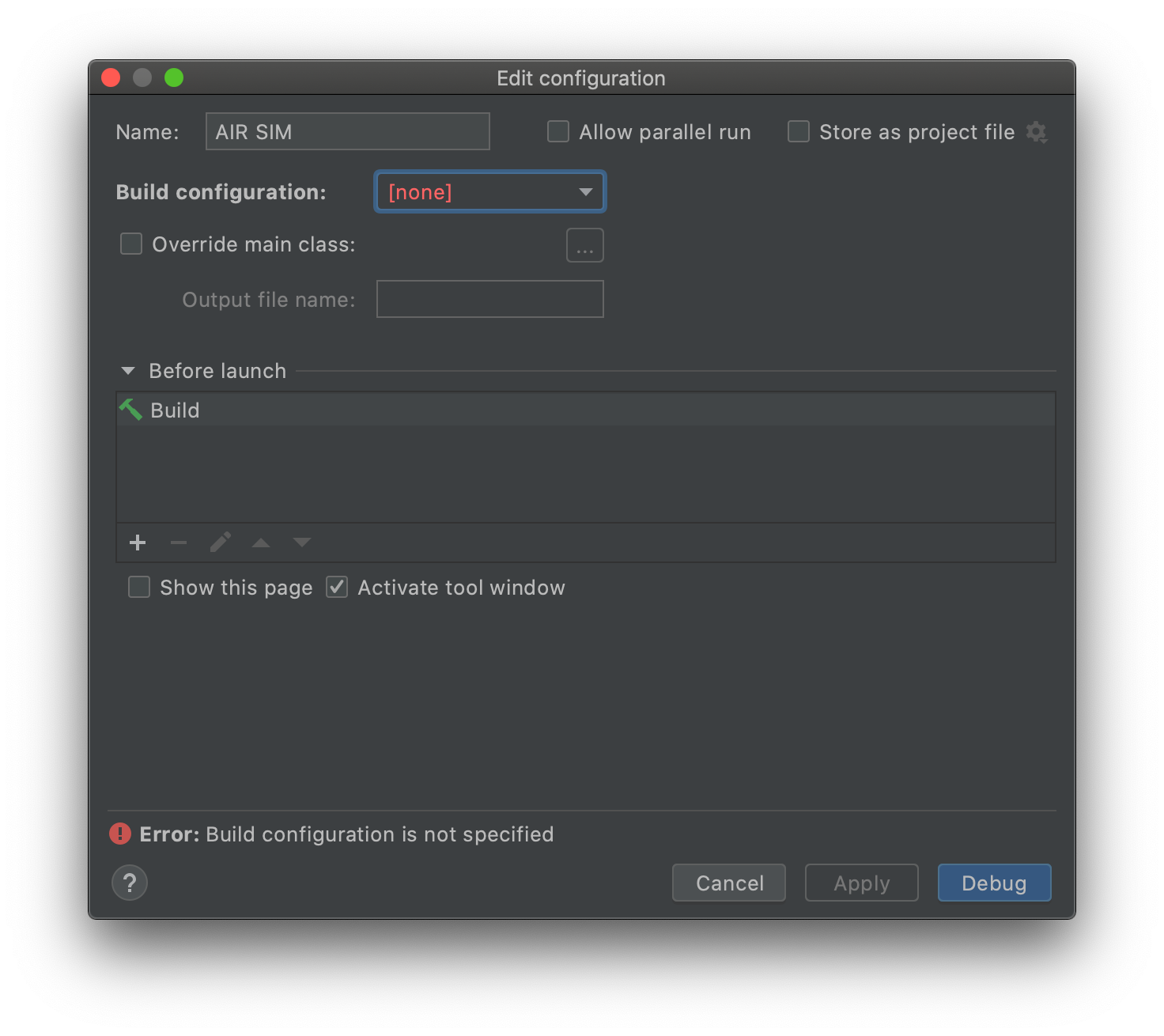
Perhaps it relates to the lack of an "app" module?
Please check you've defined the build configurations: https://www.jetbrains.com/help/idea/2020.1/build-configuration.html#1989a0 .
This project previously did have a build configuration, but given the above screenshot it seems to have been zapped when I reopened the project. Very cumbersome now to have to refigure it out. One known change is that I upgraded IntelliJ from my permanent license version (2019.??) to the latest.
'S1' module on the screenshot probably has Java module type. Flash modules have a different icon. If auto-importing of the project from Flash Builder fails (it's not ideal, sorry), then you'll need to configure the project manually.
Example: the 'app' Flash module on the screenshot has 3 Flash build configurations.
Hi Alexander - thanks for the guidance, but so you know, this was never an FB project. It was an IntelliJ 2019 project that I simply re-opened in 2020, and it lost its build config somehow. I'll make a copy of another old project and try re-opening it as well. I'll advise how that goes.
> this was never an FB project
Apparently, I assumed that was a FB project import because of the title of this discussion, and you said you had the same problem :).
There are no known issues about loosing Flex project configuration. Flex-specific project metadata (including build configurations) is stored in the .iml file. You may have a look if there were any unexpected changes in .iml files since you've previously worked with the project.
Hi Alexander, I'm sure you read a later post rather than my first one (11:53AM) - in that post I pasted my IntelliJ environment. Here it is again, and take a look at the "Non-bundled plugins" line - I'm pretty sure that's the one you mean. I anticipated there might be an issue, given AIR's shaky ground, so I installed that first...
IDE is IntelliJ IDEA 2020.2.1 (Ultimate Edition)
Build #IU-202.6948.69, built on August 24, 2020
Licensed to Joseph Diefenbach
Subscription is active until March 21, 2021
Runtime version: 11.0.8+10-b944.31 x86_64
VM: OpenJDK 64-Bit Server VM by JetBrains s.r.o.
macOS 10.15.3
GC: ParNew, ConcurrentMarkSweep
Memory: 1979M
Cores: 12
Non-Bundled Plugins: com.intellij.flex, Dart, io.flutter, aws.toolkit
...anyway I'll play with it a bit and let you know if I find anything helpful.
(I edited my answer immediately after posting :) )