Is there a way to change the shortcut of Intention preview
Answered

The new feature Intentions preview in 2020.2 is a great feature. But is there a way to change the shortcut? option + space is conflict with my shortcut of alfred.
Please sign in to leave a comment.
How to resolve all such issues: close Alfred, go to Preferences | Keymap in IntelliJ IDEA, click on the Find Action by Shortcut action, press Option + Space, change the shortcut of the found action, start Alfred.
Thank you for your answer. But I have already tried this, only to find the shortcut of "Quick Definition"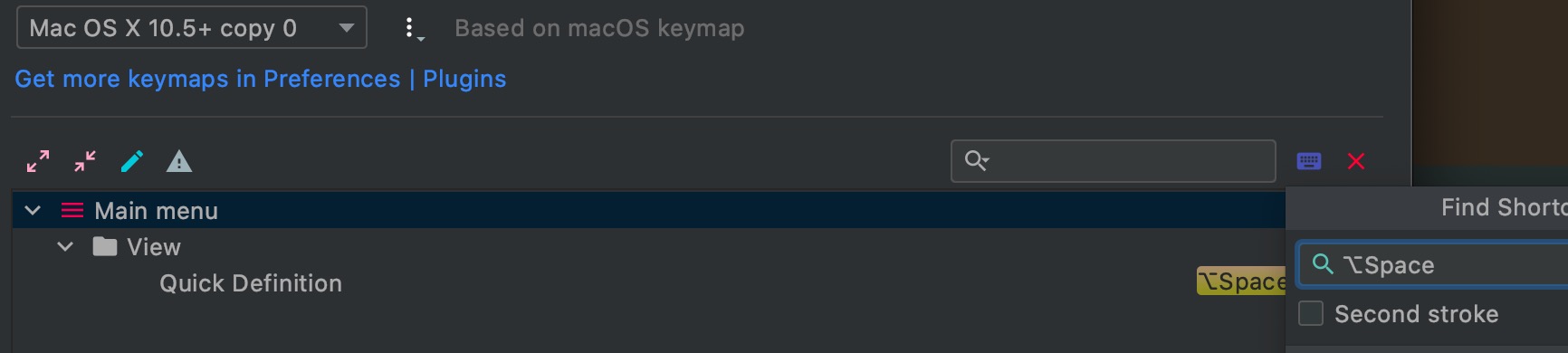
Hello,
Please follow the issue at YouTrack: https://youtrack.jetbrains.com/issue/IDEA-247713
created from your report.
Thank you
Hi Duanji Hdj,
This shortcut is reused by Intentions preview, so it will change for both actions at a time.