Where'd my symlinks go?

I have up until now used the symlinks in the REMOTE HOST panel to download the current working version of modules. Today when I look im not seeing any symlinks the REMOTE HOST view, just the branch folders for each module.
In our system there will be one symlink for the module that the system accesses, eg 'jrAudio' which is a symlink to the most current version of the module.
So in the directory tree structure it will look like
/modules/jrAudio
/modules/jrAudio-release-1.7.10
/modules/jrAudio-release-1.7.9
/modules/jrAudio-release-1.7.8
Where /jrAudio will symlink to jrAudio-release-1.7.10 because its the most recent version.
So until today when I want to import the current version of the site I would ctrl+click to select all the symlinks and use "sync with local..." and all the module would come in and go into git. Worked great.
PROBLEM: Today when I look none of the symlinks are visible in REMOTE HOST view. Hoping its just been moved to a setting. Any idea how to get them back please.
 This is a screenshot of the remote host taken from Konqueror. It shows the symlinks existing in the remote folder.

This is the same folder viewed through phpstorms REMOTE HOSTS panel. No symlinks are visible. Symlinks have always been visible in the past.
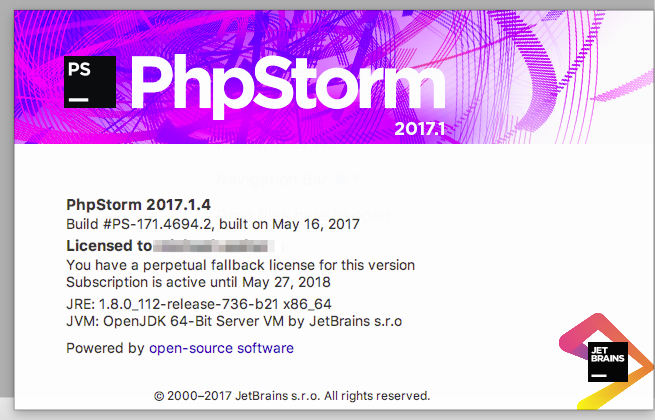 Version info.
请先登录再写评论。
Hi there,
1) What protocol is that: FTP or SFTP?
2) What's your settings are (I mean the Deployment settings in PhpStorm, mainly Advanced ones)
3) Do you see them when you check the actual detailed logs ( How-to: Collecting PhpStorm/WebStorm debug Logs ) -- does IDE sees them when connecting/listing remote host but then does not show them .. or they are not listed at all?
4) If it worked before -- what did you do recently that it stopped working? IDE upgrade etc?
5) P.S. I hope it's the same server/folder .. so not "oh, I've connected to the wrong one" case.
its FTP Andriy (usually use SFTP so that could be connected). Settings are the same as I've set them for every other project I can remember. They given you a job yet? You've been answering questions for years now. Thanks for the help. :)
2) I update whenever a new update comes in to the stable channel, but do not use the EAP's anymore.
3) ( need to check on this )
4) always upgrading and recently havent setup using this method so not sure exactly when it changed. Normally use a different flow.
5) Can see the symlinks working when using a server previously setup with SFTP so it doesn't feel like a site-wide setting. Best guess now is something FTP related, but the same FTP credentials show the symlinks when using konqueror, so not a server issue.
Check the detailed logs for sure. If they shown there -- must be IDE issue (e.g. misconfiguration/bug). If not -- quite likely server side.
Overall your settings looks fine for me (similar to what I use).
If you have another PhpStorm project/site that is hosted on the same server and it works fine there -- maybe it's some sort of project settings corruption. Try the simplest thing: delete and create new deployment entry (but give it a different name). If still the same -- backup and delete whole .idea subfolder (while IDE is closed) and try configuring project from scratch.