DataGrip: In Settings > Code Style a part of the settings information is being cut off
已回答

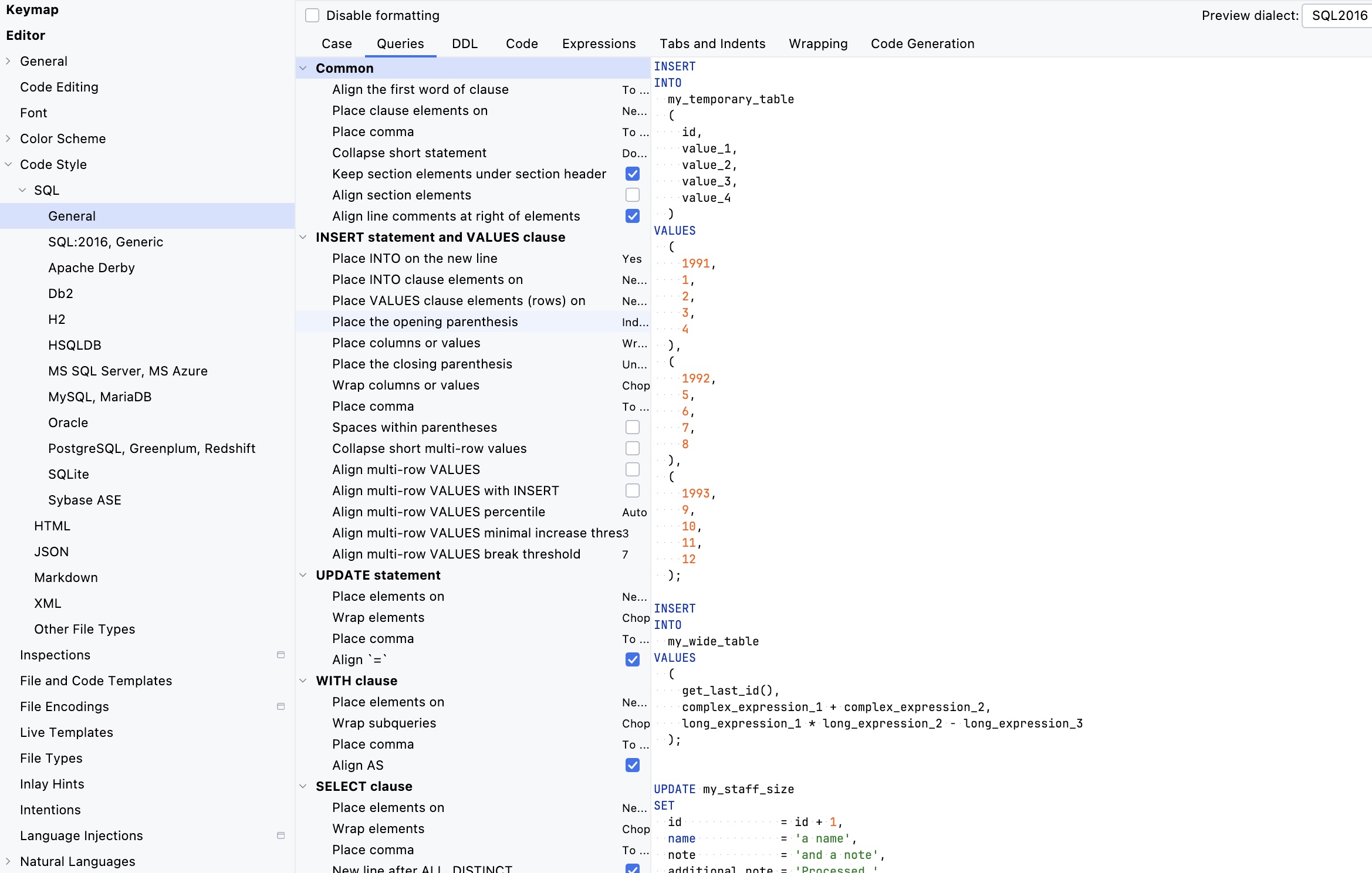
I'm on DataGrip 2025.1.3 and the UI cuts off a part of the settings information.
This is the case for the first five tabs ‘Case’ to ‘Expressions’.
请先登录再写评论。
Hi Lukas Joerg,
I can't reproduce the issue on 2025.1.3. What OS are you using? Does it still happen on the latest 2025.2 EAP? If yes, please try restoring the default settings to see if it's related to your current settings. They will be backed up, and DataGrip will show the exact path so you can easily restore them later. Let me know if this helps.
Hi Anastasia,
Thank you for your quick reply.
Your suggestion does work, but the issue reappears when I change the font size under Apperance & Behavior > Apperance from 13 to 10. It is by the way the same in PhpStorm.
I tested different font sizes, and it seems that font sizes below 12 are applied to everything in the settings window with the exception of the calculation of the width of the left column under Code Style.
Lukas Joerg thank you for clarifying. This appears to be a known issue IJPL-157605, which has not been prioritized so far, sadly. Please upvote it so we can properly estimate the impact, and follow for further updates (see this article if you are not familiar with YouTrack).
Sorry for the inconvenience.