InterllJ re-build my project whenever I make some code changes
已回答

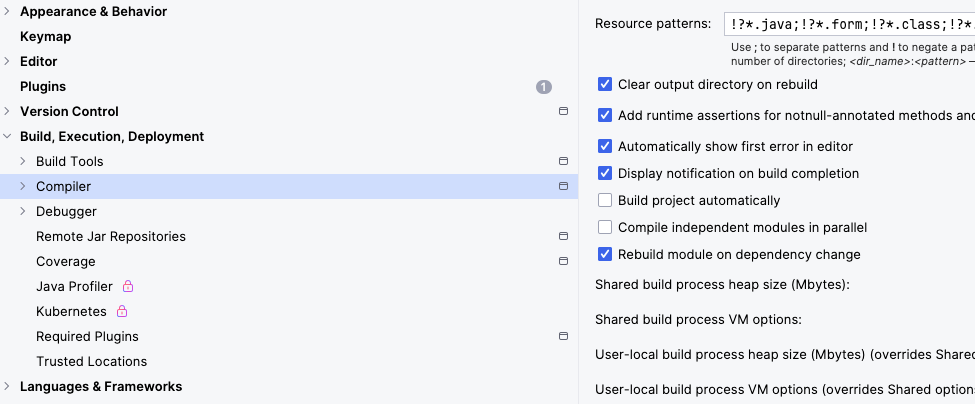
I already unselect the “Build project automatically” but still dose not work. Can I get some help ?
请先登录再写评论。
• Accessing Run/Debug Configurations: Open the main menu and navigate to `Run | Edit Configurations`.
• Locate Server Configuration: Select the specific application server run configuration you wish to modify (e.g., Tomcat Server, WildFly, etc.).
• "On frame deactivation" Option: Within the configuration settings (often on the "Server" or "Deployment" tab, depending on the server), locate the "On frame deactivation" dropdown menu.
Hi Bond Han,
No, I am on a Scala/Java project.
Jinwenjie00 Please share the zipped log folder(Help | Collect Logs and Diagnostic Data) in https://uploads.jetbrains.com/ and let us know the upload ID.
Hi Bond Han ,
Here is the upload ID: Upload id: 2025_07_28_hkTDJ6NL82sxT7BaEC6NHe (file: idea-logs-20250728-00053714105840767500811326.zip)
Thanks
Have you enabled “Build Project” in “File | Settings | Tools | Actions on Save”?
seems not.