Can’t get Anaconda3 packages to work with PhCharm Community
Answered

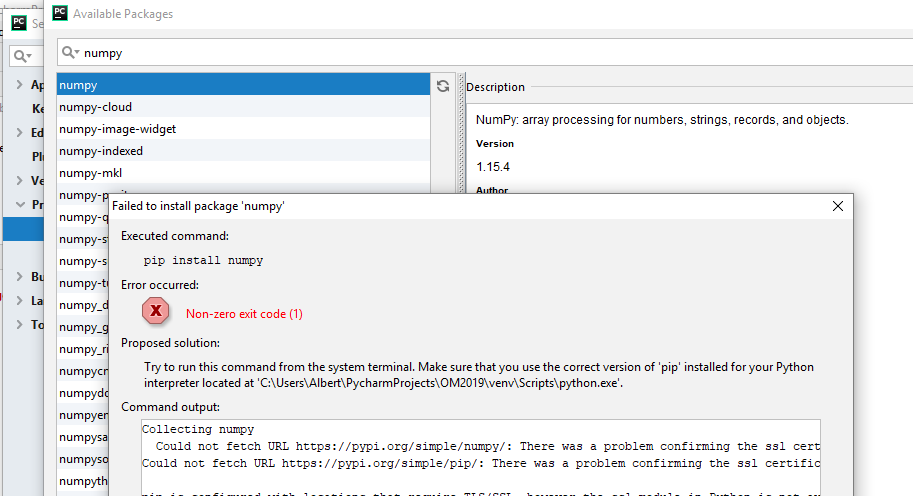
Installed Anaconda3 followed by PhCharm Community 2018 3.2 in Windows 10. Started my first project OM2019. Installation created project interpreter path C:\Users\Albert\PycharmProjects\OM2019\venv\Scripts\python.exe
Tried to install numpy from the Anaconda3 package list and got error:
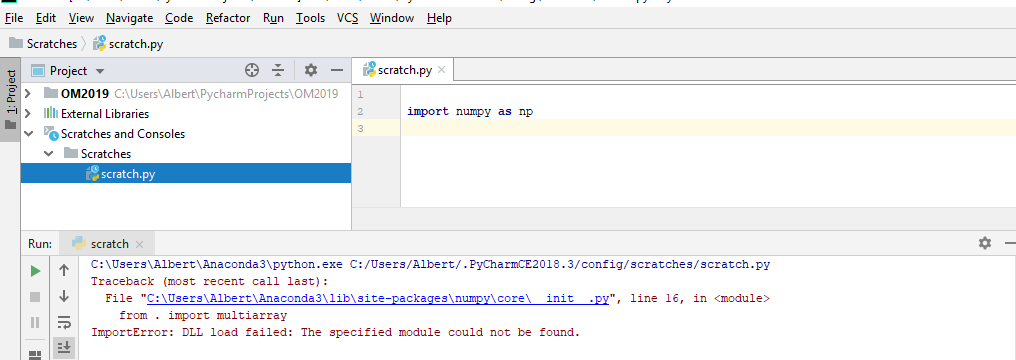
Created new interpreter path C:\Users\Albert\Anaconda3\python.exe and enabled the conda manager. It seemed to install all the Anaconda3 packages but when I tried to import any of them into a program I’d get an error:

Probably something simple or obvious I’m missing; but what?
Please sign in to leave a comment.
There is a corresponding issue in our issue tracker https://youtrack.jetbrains.com/issue/PY-27234, please vote for it and follow for updates. See https://intellij-support.jetbrains.com/hc/en-us/articles/207241135-How-to-follow-YouTrack-issues-and-receive-notifications if you are not familiar with YouTrack.
A workaround could be:
- run import os in the system terminal using the same interpreter
- run print(os.environ['PATH'])
- copy the result and add as PATH environment variable to your Run/Debug Configuration
- do the same for Python Console settings to get it working too.